100 uses, forever: the ClickUp free plan counter that never resets
ClickUp's Free Forever plan meters Gantt and custom fields at 100 lifetime uses that never reset. How the counters work, and life without them.


You drag a bar on a Gantt chart to push a release out by three days. The dates update, the dependency arrow redraws, and somewhere out of sight a number drops from 63 to 62. Nobody mentions that number when you sign up. Most teams meet it on the day it reaches zero and the view they have been planning in quietly stops working.
That is the mechanic sitting under ClickUp's Free Forever plan, and it is worth understanding before you build a quarter of planning on top of it. We make a competing tracker, so read this with that in mind. The facts below are ClickUp's public terms as of August 2026.
ClickUp's 100 use limits on the Free Forever plan
Free Forever is not metered by month or by seat. Several features that otherwise belong to the paid tiers are included on the free plan with a lifetime allowance of 100 uses each. Gantt charts and custom fields are the two that sting, because both are things a planning team touches daily.
Three details make this different from an ordinary free tier:
- The allowance is per workspace, for the life of that workspace. Not per person, not per month.
- It never resets. No monthly refill, no annual reset, no forgiveness after a quiet quarter.
- At zero the feature locks. It does not degrade or nag. It stops, until somebody upgrades.
A "use" is also not just opening the view. Interacting with the chart consumes one: adjusting dates, adding or editing a dependency. One planning session where you reshuffle a release can burn through several. A hundred sounds generous when you read it in a comparison table. In practice it is about a week of real planning, spread across however many months it takes you to get there.
flowchart TD
    A["Open the Gantt view"] --> B["Adjust a date or a dependency"]
    B --> C["Lifetime counter drops by one"]
    C --> D{"Uses remaining?"}
    D -->|Yes| A
    D -->|No| E["Feature locks until upgrade"]
The rest of the plan is easier to read:
| Free Forever | What you get |
|---|---|
| Members | Unlimited |
| Tasks | Unlimited |
| Gantt charts, custom fields | 100 lifetime uses each, no reset |
| File storage | About 100 MB (published figures vary, so treat it as approximate) |
| Spaces | 5 |
| Activity history | 1 day |
The step up is Unlimited at $7 per user per month billed annually. That is the shape of the deal: wide on people, narrow on the features that make people stay, and every teammate you invited for free becomes a paid seat the moment you upgrade.
What ClickUp gets right
Unlimited members and unlimited tasks on a free plan is genuinely rare. Asana caps new free accounts at 2 users. Linear Free stops at 250 non-archived issues. ClickUp lets you put the whole company in and file as much work as you want, and $7 is not expensive for what the paid tier covers. If you want one tool holding docs, chat, whiteboards, and tracking, ClickUp has the widest surface in the category. Our broader take on that trade is in ClickUp alternatives for teams who want calm.
So the counters are the asterisk, not the whole story. The problem is not stinginess. It is that the features people evaluate hardest run on a hidden clock measured in clicks instead of days. A 14-day trial is easy to plan around because you can see the end from the start. A hundred interactions is not, because you cannot predict when you will spend them, and nothing warns you as they go. Teams discover the mechanic at the worst possible moment: mid-replan, with a deadline behind them.
A free plan where nothing counts down
We built Taskfolk's free tier on the opposite rule: cap capacity, never meter interaction. Timeline, custom fields, sprints, and reports behave exactly the same on Free as on paid. There is no per-feature counter anywhere in the product, because a feature that works a hundred times and then stops is not something you can plan a quarter around.
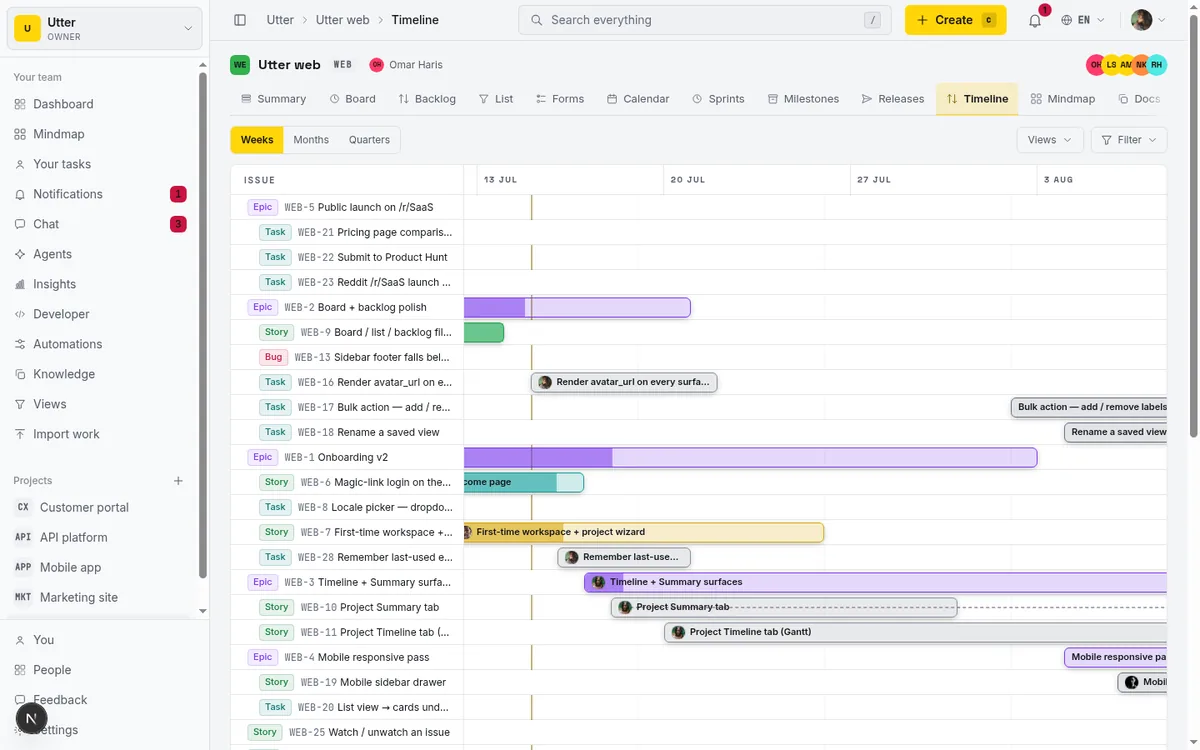
What Free does cap, plainly:
- 5 active projects
- 128 MB of file storage
- 25 AI credits per month
- Unlimited issues, unlimited members, unlimited viewers
Automation rules are Pro and up, so if rules are the reason you are shopping, our free tier will not cover you. That is a real gap and I would rather say it here than let you find out in week three.
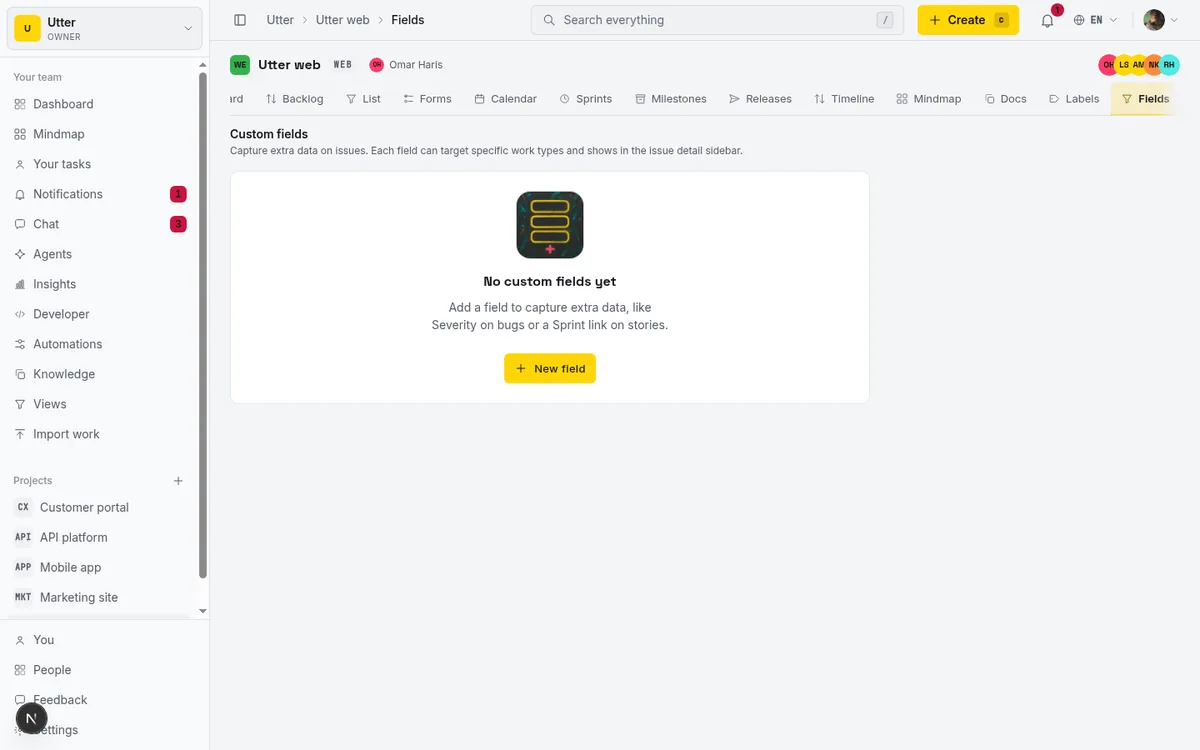
The direction the limit runs is what changes day to day. Capacity caps are visible before you hit them: you can count your projects, and storage sits on a bar in settings. You outgrow them on your own schedule, and when you do, nothing you already learned stops working. A lifetime use counter is the reverse. It is invisible while it drains and absolute when it empties. If you want the wider comparison of what free plans actually hand you, we wrote an honest guide to free project management software, and the mechanics of dependency planning are in Gantt charts with dependencies.
Taskfolk is $3 per builder per month with viewers free on every plan. The pricing page has the full grid, and Taskfolk vs ClickUp covers where ClickUp is still the better answer, because there are places where it is.
Moving work across
If you decide to move, the importer handles ClickUp directly alongside Jira, Trello, Asana, Linear, and CSV, bringing tasks, statuses, assignees, and comments over. Free workspaces import up to 1,000 rows per run, Pro 10,000.
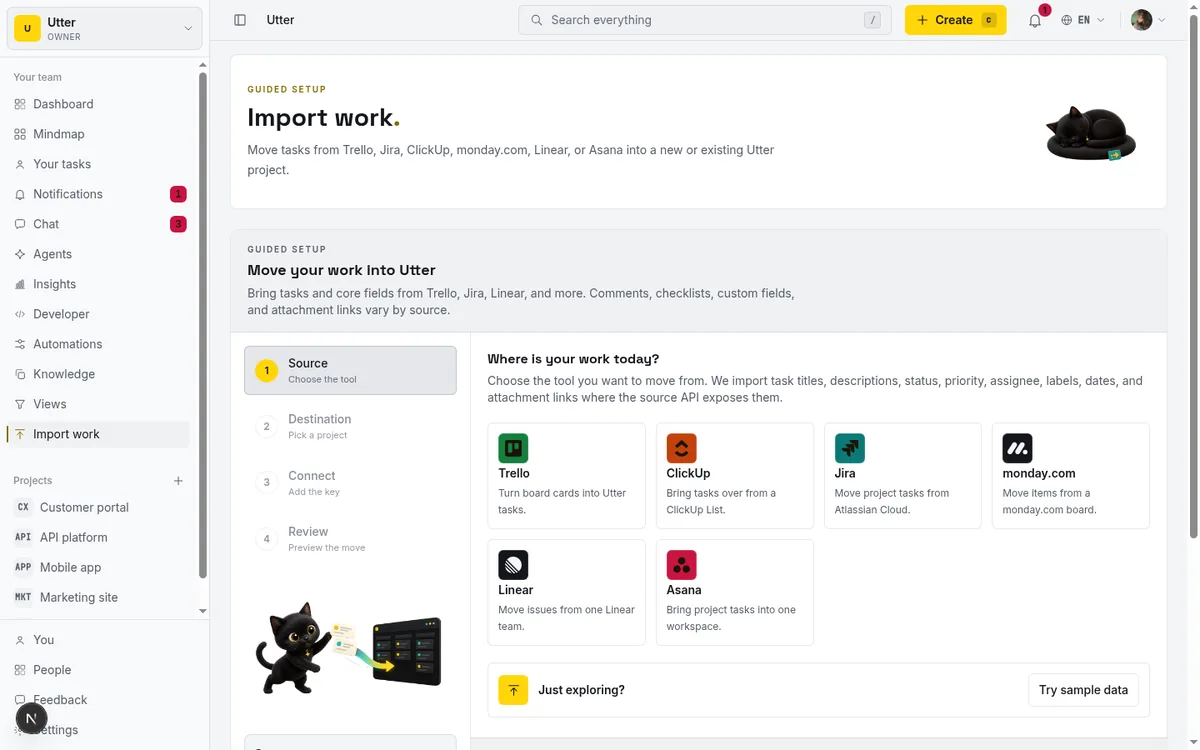
The process that works is unglamorous. Import one project, run it in parallel with what you have for two weeks, and only then decide about the rest. Migrating a whole workspace on a Friday because a counter hit zero on Thursday is how teams end up with two half-populated trackers. The step by step is in how to import your project.
Agents count as members, not seats
One structural difference while you are comparing: coding agents such as Claude Code, Codex, and Cursor connect to Taskfolk as named members. Each has a profile, gets assigned issues like anyone else, and its runs show as sessions on the ticket so a human can review what it did. Agent members are never billed as seats. If a chunk of your work is already going through an agent, that changes the seat math more than any feature row does.
If your counter is already at zero
Then you have a straightforward decision rather than a complaint. Either the Gantt view and the custom fields were load-bearing, in which case $7 per user per month is the honest price of keeping them and ClickUp is a capable tool at that price, or they were not, in which case you now know which parts of the plan you were actually using.
What you should not do is rebuild the same planning setup on another free tier without reading how its ceilings work. Ask one question of any free plan before you commit real work to it: when this stops, will I see it coming? A project cap and a storage bar answer yes. A lifetime use counter answers no.
Taskfolk Free has no counters to run out, and every new team gets 14 days of Pro on its first workspace with no card, so you can put real work in and see what the bill would be before anyone asks you for one.
أسئلة شائعة
هل تمنح خطة ClickUp المجانية 100 استخدام فقط لمخططات جانت؟
نعم. في خطة Free Forever تأتي عدة ميزات من الخطط المدفوعة بحصة مدى الحياة تبلغ نحو 100 استخدام لكل ميزة، وأبرزها مخططات جانت والحقول المخصصة. العدّاد يخص مساحة العمل لا الشخص، والتفاعل مع المخطط مثل تحريك التواريخ أو تعديل الاعتماديات يستهلك استخداما.
هل تُصفَّر عدادات خطة ClickUp المجانية كل شهر؟
لا. تُحسب الحصة على عمر مساحة العمل كاملا، فلا يوجد تجديد شهري ولا سنوي. وعندما تصل الميزة إلى صفر تبقى مقفلة حتى يرقّي أحدهم مساحة العمل إلى خطة مدفوعة.
كم تكلفة فتح تلك الميزات في ClickUp؟
خطة Unlimited بسعر 7 دولارات لكل مستخدم شهريا عند الدفع السنوي. ومن المهم تذكّر أن الخطة المجانية تسمح بأعضاء بلا حد، فكل شخص دعوته وهي مجانية يصبح مقعدا مدفوعا عند الترقية.
هل يفرض Taskfolk عدادات على ميزات خطته المجانية؟
لا. الخط الزمني والحقول المخصصة والسباقات والتقارير تعمل في الخطة المجانية كما تعمل في المدفوعة، بلا عدادات لكل ميزة. المجانية تحدّ السعة بدلا من ذلك: 5 مشاريع نشطة و128 ميغابايت تخزينا و25 رصيد ذكاء اصطناعي شهريا، مع تذاكر وأعضاء بلا حد. أما قواعد الأتمتة فتبدأ من خطة Pro.
قراءات ذات صلة
Asana's free plan is now a party of two
Asana cut its free plan to 2 users for accounts created after November 12, 2025. What changed, what the third teammate costs, and how to plan around it.
18 أغسطس 2026 · 6 د قراءة
Notion's free plan and 1,000 blocks: the wall at member two
Notion Free is unlimited for one person. Add a second member and the workspace is capped at 1,000 blocks. What that costs, and when to run the work elsewhere.
18 أغسطس 2026 · 6 د قراءة
What happens at issue 251 on Linear's free plan
Linear Free stops at 250 non-archived issues. What the block actually does, the seat math for a team of eight, and how to move without losing history.
18 أغسطس 2026 · 6 د قراءة
بدائل Shortcut للفرق التي تشغّل وكلاء الذكاء الاصطناعي
بدائل Shortcut لفرق البرمجيات: أسعار يوليو 2026 من المصدر، وحسبة المقاعد، وما الذي يتغير حين يصير وكيل الذكاء الاصطناعي عضوًا حقيقيًا.
26 يوليو 2026 · 11 د قراءة
بدائل monday.com المصممة لفرق البرمجيات لا لعمليات التسويق
بدائل monday.com لفرق البرمجيات: أسعار حقيقية (حد أدنى من 3 مقاعد مقابل 3 أو 6 دولارات لكل مقعد منفّذ)، وحالات مدعومة بالفئات، وسبرنتات مع ترحيل العمل غير المكتمل، ووكلاء أعضاء مجانيون لا تكاملات مفوترة.
16 يوليو 2026 · 12 د قراءة
بدائل Asana: تكلفة أقل ووكلاء ذكاء اصطناعي كأعضاء حقيقيين
بدائل Asana للفرق المتنامية: كيف تقرّب شرائح مقاعد Asana فاتورتك إلى الأعلى، وكيف يغيّر تسعير Taskfolk بواقع 3 دولارات لكل منفّذ، مع مشاهدين ووكلاء مجانيين، نتيجة الحساب. الأرقام حتى يوليو 2026.
16 يوليو 2026 · 12 د قراءة
بدائل ClickUp للفرق التي تريد الهدوء لا مزيدًا من الميزات
بدائل ClickUp للفرق التي تريد أداة تتبع هادئة يتبنّاها الفريق فعلًا. أسعار يوليو 2026 وتكاليف الذكاء الاصطناعي بصراحة، والمواضع التي لا يزال ClickUp يتفوق فيها، ووكلاء Taskfolk الذين ينضمون أعضاءً مجانيين.
16 يوليو 2026 · 15 د قراءة

تبحث عن بديل لـ Linear؟ ابدأ من حساب من يدفع
إلى أين تنتقل الفرق التي تغادر Linear فعلًا: Jira وClickUp وAsana وGitHub Projects وTaskfolk، مع حساب المقاعد ودعم الوكلاء اللذين يجب أن يحسما الاختيار.
12 يوليو 2026 · 8 د قراءة
Record 1,001: when your Airtable base stops taking tasks
Airtable's free plan caps every base at 1,000 records, counted across all tables. What the cap covers, who should stay, and how task teams move out.
18 أغسطس 2026 · 6 د قراءة
حين يضيق ملف المهام بوكلاء الذكاء الاصطناعي لديك
Beads متتبّع مهام جيد لوكلاء الذكاء الاصطناعي، والمطوّر المنفرد الأفضل له البقاء عليه. وهنا النقطة التي يضيق عندها باكلوج داخل المستودع، وكم تكلّف النقلة.
26 يوليو 2026 · 11 د قراءة
أضف تعليقًا
ابدأ النقاش.