What happens at issue 251 on Linear's free plan
Linear Free stops at 250 non-archived issues. What the block actually does, the seat math for a team of eight, and how to move without losing history.

You notice it as an error, not a warning. Someone goes to file a bug, hits create, and Linear tells them the workspace is at its issue cap. Whatever warning existed, nobody read it. The create button just stops working.
Re-checked on 23 September 2026: Linear's pricing page still states the 250-issue cap on the free plan.
Linear's free plan allows 250 non-archived issues. Members are unlimited, which is genuinely generous, and you get 2 teams and 10 MB file uploads. But the 250 is a hard stop: until someone archives old issues or the workspace upgrades, nobody creates anything new. For a team shipping at any real pace, that is a few weeks to a few months of work.
What Linear's 250 issue limit actually counts
The word "non-archived" is doing all the work in that sentence. A bug you closed six months ago still counts against the 250 until someone archives it. Finished work occupies the budget.
So the free plan comes with a chore attached. Someone has to sweep completed issues into the archive to keep room for new ones. Nothing is lost when they do, archived issues stay searchable, but it is a task that exists only because of the cap, and it is exactly the kind of task a team forgets about until creation breaks on a Thursday afternoon.
The three doors at issue 251
Archive. Free, and fine if your closed-issue pile is genuinely dead. It buys you weeks, not years, and you will be standing here again.
Pay. Linear Basic is $10 per user per month. This is where the shape of your team starts to matter, because Linear charges per member, not per person who writes code. The designer who files two issues a month, the founder who reads the board on Mondays, the support lead who watches bug tickets: all $10.
Move. Most teams do not, because they assume migration means losing history. That has not been true for a while.
The math for a team of eight
Take six people who build and two who watch. A support lead who needs to see bug status and a founder who reads the roadmap. Neither will ever drag a card.
| Who pays | Per month | Per year | |
|---|---|---|---|
| Linear Basic | all 8 at $10 | $80 | $960 |
| Taskfolk Pro | 6 builders at $3, viewers free | $18 | $216 |
The interesting number is not the $744 gap. It is the two watchers: $240 a year on Linear, nothing on Taskfolk. That is the part that scales badly. Every stakeholder you add for visibility is another $120 a year for read access, so the instinct to open the board up to the whole company arrives with a bill.
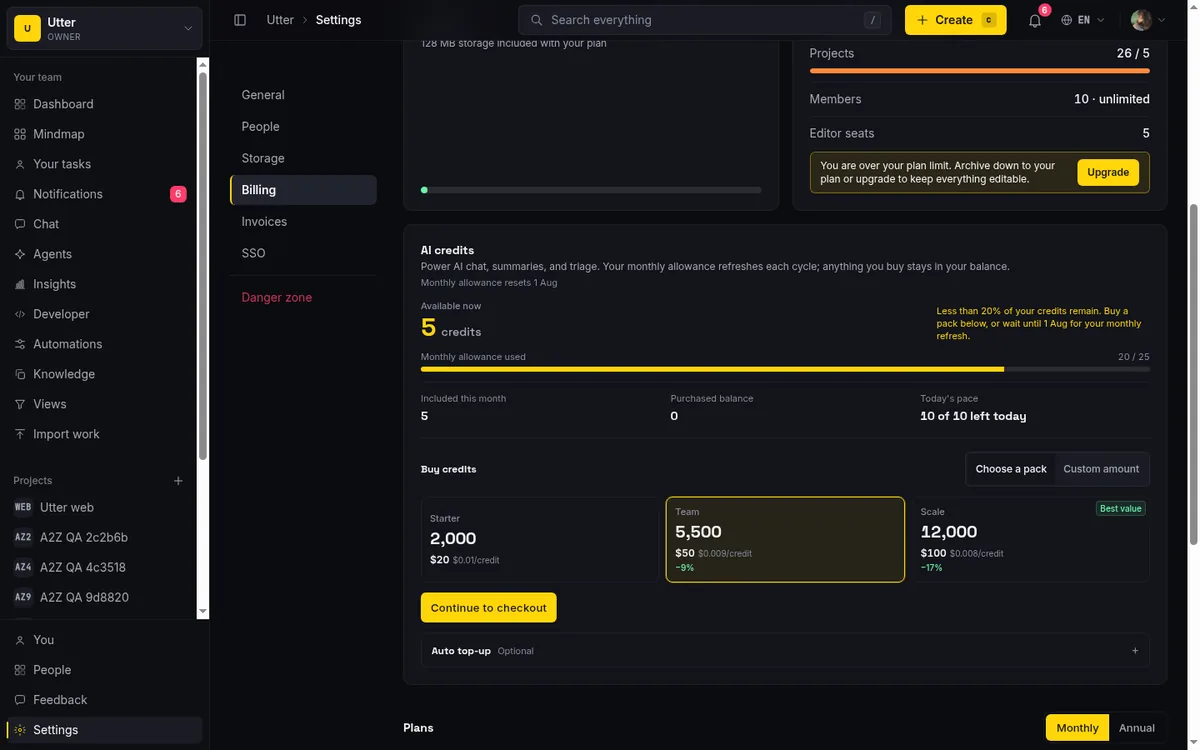
Our free plan has no issue cap and no member cap, but it has its own ceilings and you should hear them from us rather than find them: 5 projects, 128 MB of workspace storage, 1 MB per file, 25 AI credits a month, and imports of up to 1,000 rows per run. If your team attaches large files to everything, 128 MB disappears quickly and you will end up on a paid plan for storage instead of for issues. What you will not hit is a wall on the thing a tracker exists to hold. Full numbers are on the pricing page.
Moving without losing the history
The importer takes a Linear API key. Paste it, pick what to bring, and issues, statuses, assignees, labels, and comments come across. A design agency that switched earlier this year moved 172 issues in about two seconds, which is roughly how long it takes to read this sentence.
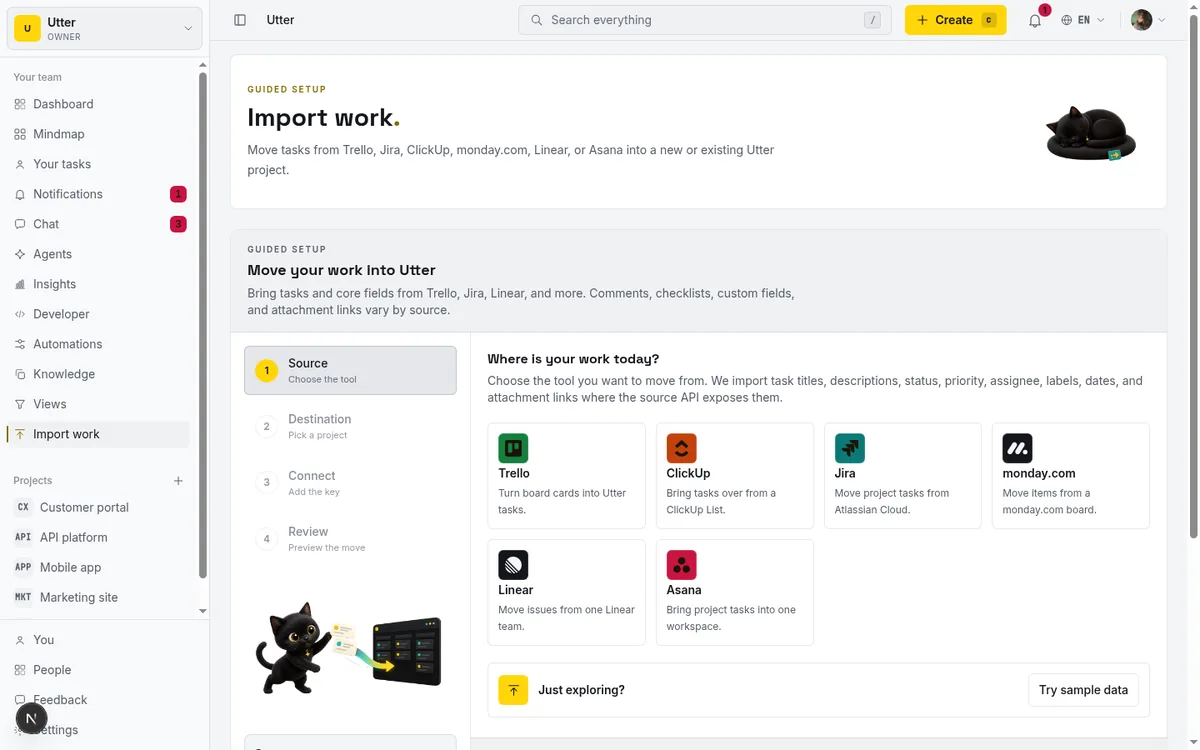
What lands where:
| From Linear | In Taskfolk |
|---|---|
| Issues | Issues with title and description |
| Workflow states | Board status columns |
| Assignees | Assignees |
| Labels | Labels |
| Comments | Comments on the issue |
Two practical notes. The free plan imports 1,000 rows per run, which is four times the entire Linear free cap, so a team arriving from a full free workspace fits comfortably. And the boring migration process is still the right one: bring one project over, run it for two weeks next to Linear, then move the rest or decide not to. Nobody has to declare a switch on day one.
AI agents as named members
If part of why your issue count climbed is that agents are now filing and closing work, a per-issue ceiling is an awkward place to meet that trend.
On Taskfolk an AI agent is a member. Claude Code, Codex, and Cursor connect with their own API key and get their own profile, so work assigned to an agent is assigned to a name, its runs show as sessions on the ticket, and every change it makes is attributed to it in the activity log. Agent members are never billed as seats.
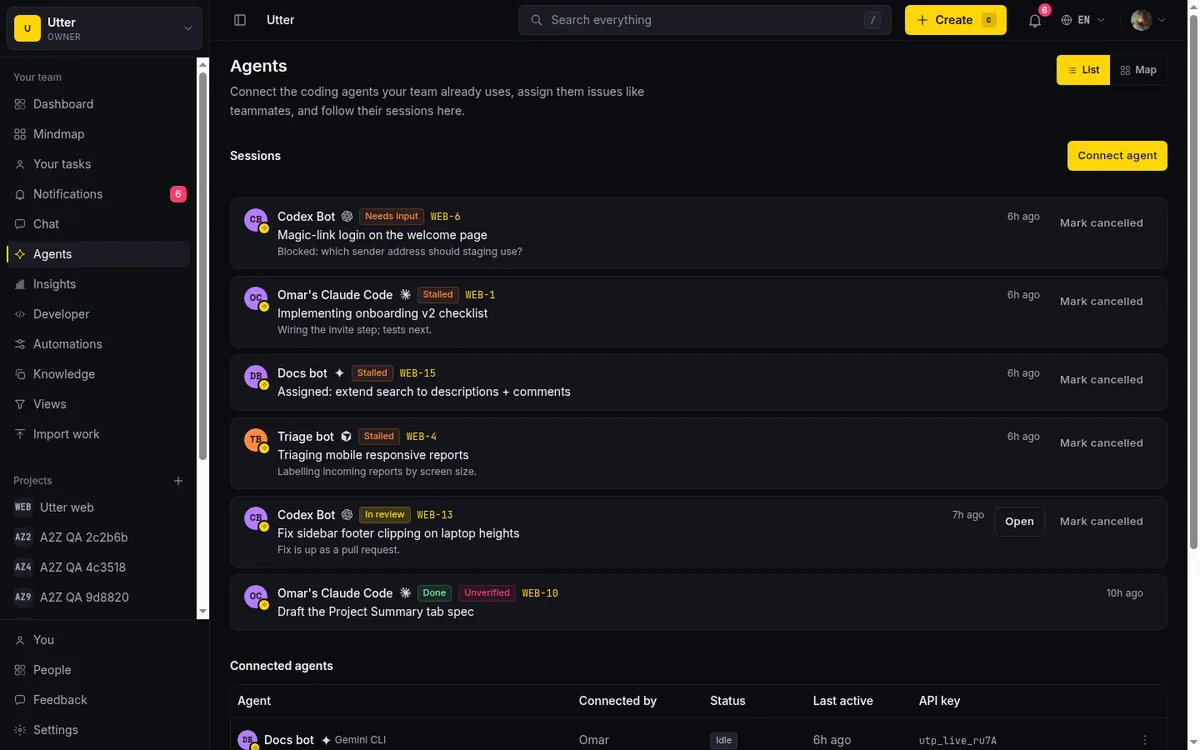
That is a structural difference rather than a feature-list one. On a strict per-seat tool, giving an agent an identity means paying for another user, which quietly pushes teams toward running agents under a shared human account where nobody can tell afterwards who did what.
Linear is not the villain here
Linear is fast and unusually well built. Its keyboard-first triage is the best in the category, the cycle model is coherent, and Insights gives engineering leaders analytics we do not match today. None of that changes because of a cap.
And the cap is a business decision, not a flaw. Free plans exist to become paid plans, and Linear picked issue count as the lever. It is at least a legible lever, arguably more honest than a free tier that works fine until you need one specific feature. If Linear's speed and its cycle workflow carry how your team works, pay the $10 and stop reading comparison posts. That is a real answer, and for some teams it is the right one.
The question worth asking is narrower than "which tool is better." It is: are you about to start paying per seat for people who only read? If seven of your eight are builders, the difference is small enough to ignore. If half the workspace is watching, the answer changes, and it keeps changing every time you add someone.
If you want the side-by-side rather than the argument, Taskfolk vs Linear lays out both columns including what Linear still does better. If Linear is not the only tool you are weighing, Linear alternatives covers where teams actually land. And if you just want to see whether your issues survive the trip, the importer runs on the free plan, so you can find out before you decide anything.
Frequently asked questions
How many issues can you have on Linear's free plan?
250 non-archived issues. Members are unlimited and you get 2 teams and 10 MB file uploads, but the issue count is capped and closed issues keep counting until someone archives them.
What happens when you hit 250 issues in Linear?
Creating new issues stops. It is a hard block, not a warning, and it stays in place until you archive enough old issues to get back under the cap or upgrade to a paid plan at $10 per user per month.
Does Taskfolk's free plan cap issues?
No. Issues and members are both unlimited on Free. The real ceilings are elsewhere: 5 projects, 128 MB of workspace storage, 1 MB per file, 25 AI credits a month, and 1,000 rows per import run.
Can I move from Linear to Taskfolk without losing comments?
Yes. Paste a Linear API key into the importer and issues, statuses, assignees, labels, and comments come across together. One agency moved 172 issues in about two seconds. The usual advice still applies: bring one project first and run it alongside Linear for a couple of weeks.
Related reading

Asana's free plan is now a party of two
Asana cut its free plan to 2 users for accounts created after November 12, 2025. What changed, what the third teammate costs, and how to plan around it.
18 August 2026 · 6 min read

Free project management software: what the free tiers give you
What the free tiers of Trello, Asana, ClickUp, Notion and Jira actually give you, which cap stops a small team first, and how Taskfolk Free compares.
16 July 2026 · 16 min read
Notion's free plan and 1,000 blocks: the wall at member two
Notion Free is unlimited for one person. Add a second member and the workspace is capped at 1,000 blocks. What that costs, and when to run the work elsewhere.
18 August 2026 · 6 min read
Record 1,001: when your Airtable base stops taking tasks
Airtable's free plan caps every base at 1,000 records, counted across all tables. What the cap covers, who should stay, and how task teams move out.
18 August 2026 · 6 min read

Jira alternatives in 2026: what you actually pay per seat
Six Jira alternatives compared honestly: Linear, ClickUp, Asana, Monday, Trello, and Taskfolk, with real per-seat math and where each one actually fits.
11 July 2026 · 9 min read

100 uses, forever: the ClickUp counter that never resets
ClickUp's Free Forever plan meters Gantt and custom fields at 100 lifetime uses that never reset. How the counters work, and life without them.
18 August 2026 · 6 min read
A GitHub Issues alternative for when projects outgrow a repo
GitHub Issues alternative for teams that outgrew Issues but keep GitHub for code: real statuses, ranked backlog, burndown, commit linking, and free AI-agent seats.
16 July 2026 · 18 min read
How to migrate from Jira, Trello or Asana without data loss
An honest migration guide: what imports cleanly, what needs a decision, and the order to move your projects so nothing gets lost on the way over.
12 July 2026 · 9 min read

Project management for small agencies (clients in, chaos out)
Project management for agencies without the seat tax: scoped projects isolate each client, guests and viewers are free, and public forms take intake with no account.
16 July 2026 · 18 min read

The MCP audit: which project tools can AI agents use? (2026)
We audited the MCP servers of 13 project management tools: who has one, what agents can really do, the call caps, and the gaps nobody mentions.
15 July 2026 · 8 min read
Add a comment
Start the conversation.