Grok project management: give xAI's coding agent a real board
How to use Grok Build, xAI's coding agent, for real project management: connect it to a shared board over MCP, delegate tickets, and read its sessions.

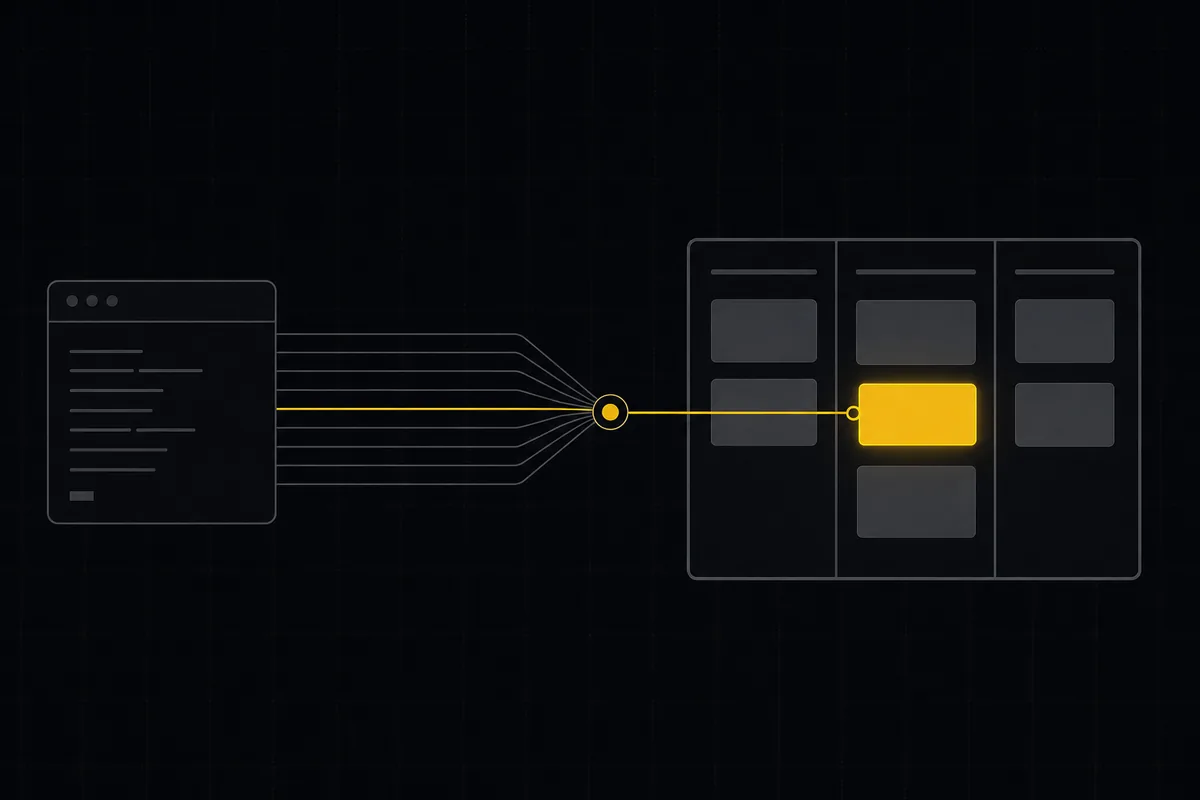
You ran grok goal "all failing tests pass" before dinner and let xAI's agent work the repo on its own. It finished around midnight. This morning you know two things: the tests pass, and nothing else. Which files it touched, which of its eight sub-agents did what, whether it noticed the flaky auth spec you meant to warn it about, none of that is recorded anywhere a person can read. The terminal scrollback is gone. Your teammate is asking what happened to the ticket they filed on Tuesday, and the honest answer is "an agent may have fixed it, let me grep."
That gap is what this guide closes. Grok Build is genuinely good at doing the work. It is not a place to track the work, and it does not try to be. Point it at a real board over MCP and the picture changes: the agent reads tickets from a backlog your team curates, claims the ones you assign to it, and reports its progress as sessions a human can watch from a browser. The agent still runs in your terminal. The record of what it did lives somewhere everyone can see.
Everything below uses Taskfolk as the board and the demo workspace taskfolk with its WEB project. Swap in your own slugs. Facts about Grok Build are as of August 2026 and come from xAI's own announcements plus the public docs; where something is a limitation, I say so.
What Grok Build is, in plain terms
Grok Build is xAI's agentic coding CLI, launched in public beta at the end of May 2026 and open-sourced under Apache 2.0 in mid-July. The model behind it, grok-build-0.1, is trained specifically for agentic coding and is served fast, at over 100 tokens per second, priced at $1 per million input tokens and $2 per million output. It scores 70.8% on SWE-Bench, which puts it in the serious tier without leading it.
The CLI is the interesting part for project work. You install it with one line:
curl -fsSL https://x.ai/cli/install.sh | bashThen grok opens an interactive session, grok exec "fix the login redirect" runs a single task and exits, grok plan produces a plan without executing it, and grok goal "condition" runs autonomously until the condition is met. The flagship trick is grok arena, which races multiple agents against the same problem so you can pick the best attempt, and Grok Build can spawn up to eight sub-agents working in parallel. Full parallelism sits behind the SuperGrok Heavy tier at $299 a month, while the API path is usage-based with no subscription.
One disambiguation before going deeper, because xAI now ships two agents with nearly the same name. Grok Build is the terminal coding CLI this guide covers. Grok Bot is the always-on cloud agent that runs tasks unattended on its own computer; it has its own integration story, covered in Grok Bot project management.
Two more facts matter for what comes next. Grok Build speaks MCP natively, over both stdio and HTTP. And it auto-discovers existing agent config on your machine: Claude Code marketplaces, plugins, skills, MCP servers, hooks, and instruction files, plus Claude, Cursor, and .mcp.json MCP configurations. xAI's pitch is that anything you wired up for Claude Code works in Grok Build with zero reconfiguration. That claim turns out to be the fastest way to connect it to a tracker, and I will use it below.
Where Grok keeps its work today, and where that stops
Out of the box, Grok Build's working state is local. Plans live in the session. Progress lives in the terminal. If you keep a task list at all, it is a markdown file in the repo, with all the problems that file-based task tracking always has: it evaporates when the session ends, nobody is notified of anything, and two agents in the same repo race each other for one file.
Grok's answer to integrations is Connectors, a catalogue of 31 first-party hosted integrations as of August 2026, most of them implemented as hosted MCP endpoints. GitHub and Linear are in the list. Connectors are real and they work, but they answer a different question. A connector lets Grok read from and write to an app. It does not make Grok a visible member of your team with its own name, its own assigned tickets, and a session state a manager can check without asking you to scroll your terminal.
The autonomous modes sharpen the problem instead of softening it. grok goal is precisely the mode where you are not watching, which is precisely when you most want an external record. And grok arena multiplies it: eight agents produce eight attempts, one wins, and unless something writes that down, the history of what was tried and rejected exists only in your memory. The better the agent gets at running unattended, the more the missing ledger costs you.
So the shape of the fix is not "a smarter agent." It is a shared destination: a board that survives sessions, shows state to humans, and treats the agent as a member rather than a script. That is the same conclusion we reached for Cursor and Claude Code, and Grok Build actually has the cleanest wiring path of the three.
Wire Grok Build to Taskfolk over MCP
Taskfolk exposes a first-party MCP server at https://taskfolk.ai/api/mcp/v1, Streamable HTTP with JSON-RPC 2.0, authenticated by the same bearer API key as the REST surface. The tool catalogue is generated from the OpenAPI registry, one tool per REST operation, over 180 of them, so the tools the agent sees never drift from the real API. If you want the tradeoff between the two surfaces spelled out, MCP or REST for your agent covers it; the short version is that the same key works for both, so this is not a choice you can get wrong.
You have three ways to register the server in Grok Build. Pick one.
The lazy path, and my favorite: if you ever connected Taskfolk to Claude Code on this machine, you are already done. Grok Build reads existing Claude and .mcp.json configurations at startup, so the claude mcp add taskfolk you ran months ago is discovered automatically and the Taskfolk tools appear in Grok with no new configuration.
The CLI path, for a fresh machine:
grok mcp add --transport http taskfolk https://taskfolk.ai/api/mcp/v1The explicit path, which is also where the auth header lives, is Grok Build's config file at ~/.grok/config.toml:
[mcp_servers.taskfolk]
url = "https://taskfolk.ai/api/mcp/v1"
headers = { "Authorization" = "Bearer ${TASKFOLK_AGENT_KEY}" }
Grok expands ${VAR} from the environment, so the key stays out of the file. Where that key comes from is the next section, because it should not be your personal key.
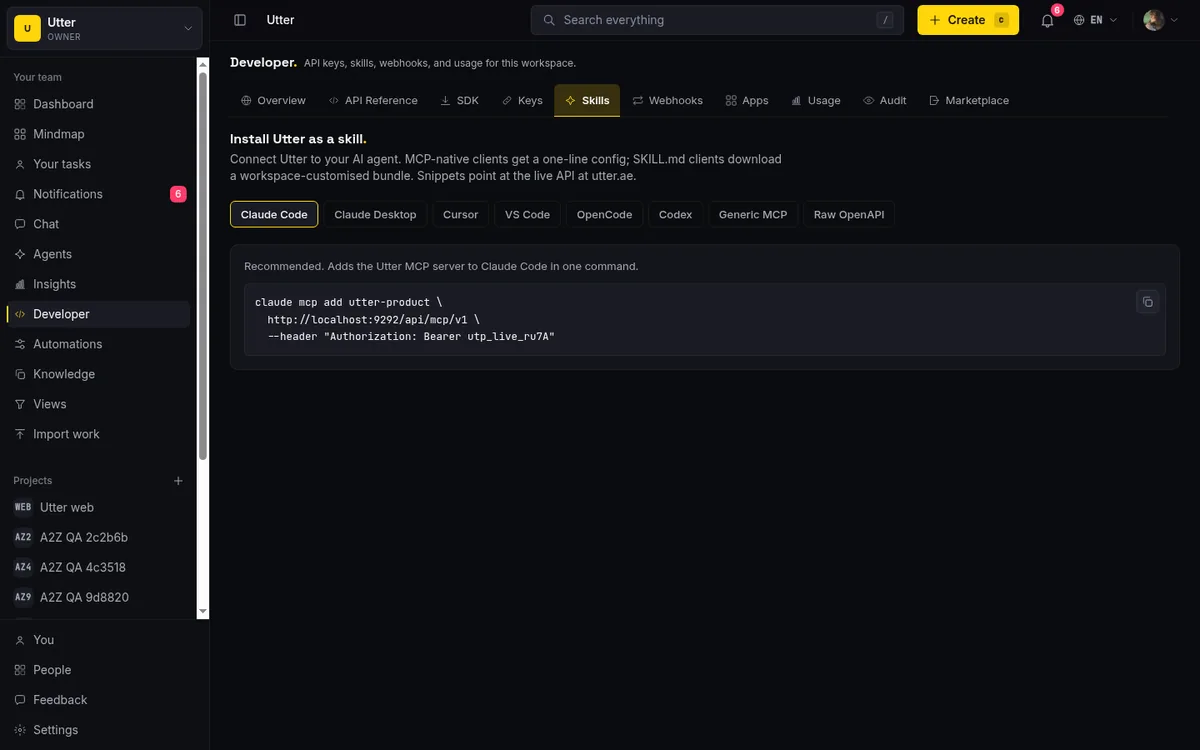
One honest note on the Taskfolk side: the Skills tab in the developer area prints ready-made config for Claude Code, Claude Desktop, VS Code, Cursor, Codex, opencode, and a generic MCP client. There is no Grok-specific variant yet. The generic MCP block is exactly what the TOML above encodes, so nothing is missing in practice, but you will be translating one config block rather than copying a labelled one.
Connect Grok as a member, not as your shadow
Here is the part people skip, and it is the part that makes the whole setup worth doing. Do not point Grok at Taskfolk with your own API key. If you do, every comment it writes and every status it moves is attributed to you, and in three weeks nobody can tell which decisions were yours. Connect it as its own agent instead.
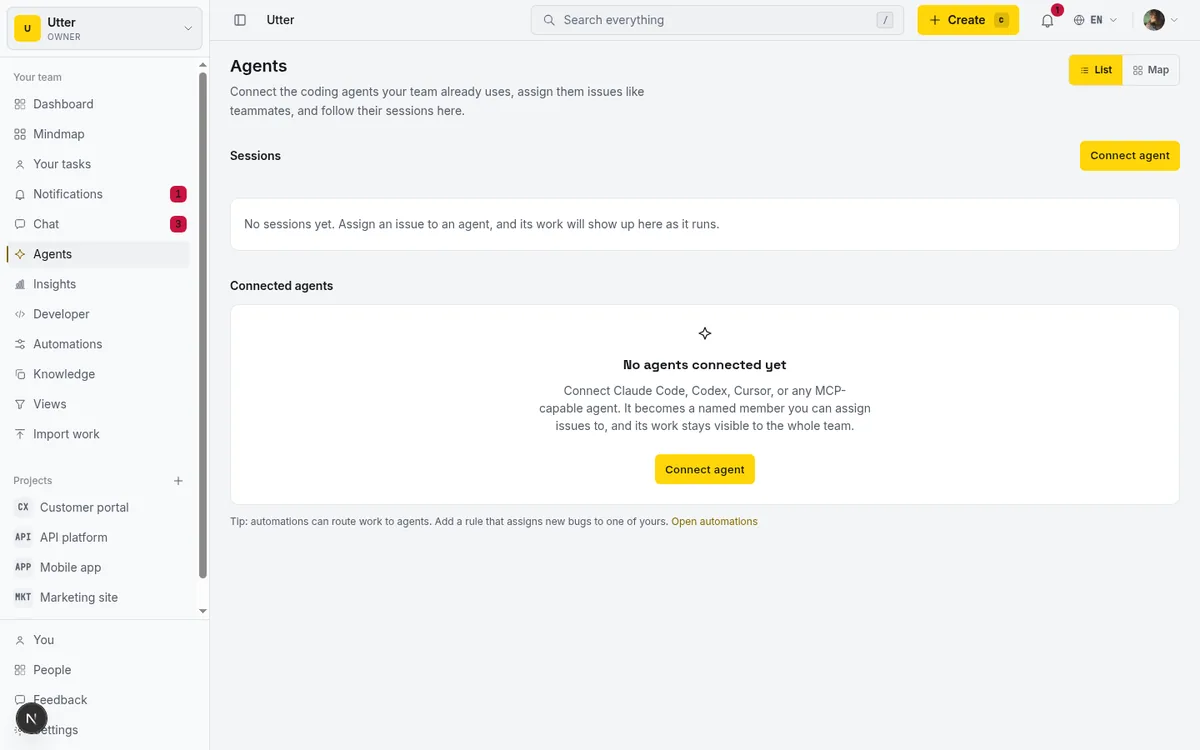
In your workspace sidebar, open Agents, then click Connect agent. The dialog asks for two things: a name and the tool it runs on. Name it like a seat, "Omar's Grok" or "Nightly goal runner," because when three agents hold tickets on one board the name is how you tell them apart. Under Runs on there is no Grok tile in the provider grid yet, so pick Custom agent. The tile only sets the logo and label shown in the directory; every provider gets the identical scoped key and the identical MCP endpoint, so nothing mechanical is lost by the choice.
Click Connect and Taskfolk creates a real workspace member: a hidden agent user, a member-role seat flagged as an agent, and an API key whose creator is the agent itself. That authorship is the attribution mechanism. Every MCP call the key makes traces back to the agent by name, on the ticket, in the activity log, everywhere. Connected agents also never count as billed seats, so wiring up Grok next to your existing Claude and Cursor agents costs nothing; there is a hard cap of 25 live agents per workspace, which is an abuse guard rather than a plan limit.
The dialog shows the plaintext key exactly once. Export it as TASKFOLK_AGENT_KEY on the machine Grok runs on before you close anything, because afterward the directory only ever shows the key prefix, and losing it means disconnecting and reconnecting for a fresh one.
Delegate a ticket and let Grok claim it
With the agent connected, delegation is deliberately boring. Open a ticket in WEB, open the assignee picker, and the picker splits into People and Agents. Pick your Grok agent the same way you would pick a teammate.
Assignment does one thing worth understanding: it auto-creates a pending session, visible immediately on the hub and on the issue, meaning "this work is handed over and waiting to be picked up." Nothing is running yet. When Grok actually starts, it claims that pending row and flips it to running. Over MCP that is the startAgentSession tool; over REST it is one call with the agent's own key:
curl -X POST https://taskfolk.ai/api/v1/workspaces/taskfolk/agent-sessions \
  -H "Authorization: Bearer $TASKFOLK_AGENT_KEY" \
  -H "Content-Type: application/json" \
  -d '{"title": "Fix login redirect loop", "issue_key": "WEB-217"}'
const res = await fetch(
"https://taskfolk.ai/api/v1/workspaces/taskfolk/agent-sessions",
{
method: "POST",
headers: {
Authorization: `Bearer ${process.env.TASKFOLK_AGENT_KEY}`,
"Content-Type": "application/json",
},
body: JSON.stringify({
title: "Fix login redirect loop",
issue_key: "WEB-217",
}),
},
);
const session = await res.json();import os, requests
res = requests.post(
"https://taskfolk.ai/api/v1/workspaces/taskfolk/agent-sessions",
headers={"Authorization": f"Bearer {os.environ['TASKFOLK_AGENT_KEY']}"},
json={"title": "Fix login redirect loop", "issue_key": "WEB-217"},
)
session = res.json()The lifecycle end to end:
sequenceDiagram
    participant You
    participant Taskfolk
    participant Grok
    You->>Taskfolk: Assign WEB 217 to the agent
    Note over Taskfolk: Session created as pending
    Grok->>Taskfolk: Start session over MCP
    Note over Taskfolk: Session is running
    Grok->>Taskfolk: Comment and move status
    Grok->>Taskfolk: Close session as review
    You->>Taskfolk: Review and merge
In practice you rarely script this yourself. You tell Grok, in the session or in an instruction file, something like: "You are the agent behind the taskfolk MCP server. At the start of a session, list issues assigned to you in the WEB project, claim the highest priority one, move it to In Progress, and comment when you open a PR. Close your session as review, not done." Grok Build reads Claude Code instruction files, so if your repo already carries agent instructions for Claude, the same file steers Grok. The quality of the run then depends mostly on the ticket itself, which is a writing problem more than a tooling one; write tickets AI agents can finish is the companion piece for that.
If a pending session is never claimed, a worker cancels it after seven days, so a delegation Grok never woke up for does not sit on the hub pretending forever.
Read the sessions like a manager, not a babysitter
The Sessions list on the Agents hub is the payoff surface. The stored states are pending, running, needs input, review, done, failed, and cancelled. Two more are derived at read time and they are the ones that save you.
A running session whose heartbeat has been silent for 30 minutes renders as stalled. That is the difference between "Grok is thinking" and "Grok's process died an hour ago," and it is exactly the failure mode of an overnight grok goal run: without it, a dead agent looks busy forever. And a session closed as review or done with no attributed activity or comment on its issue gets an unverified badge, which catches the other classic agent failure, claiming completion with nothing to show. If a run looks stuck, is your AI agent stuck walks through diagnosing it from these signals.
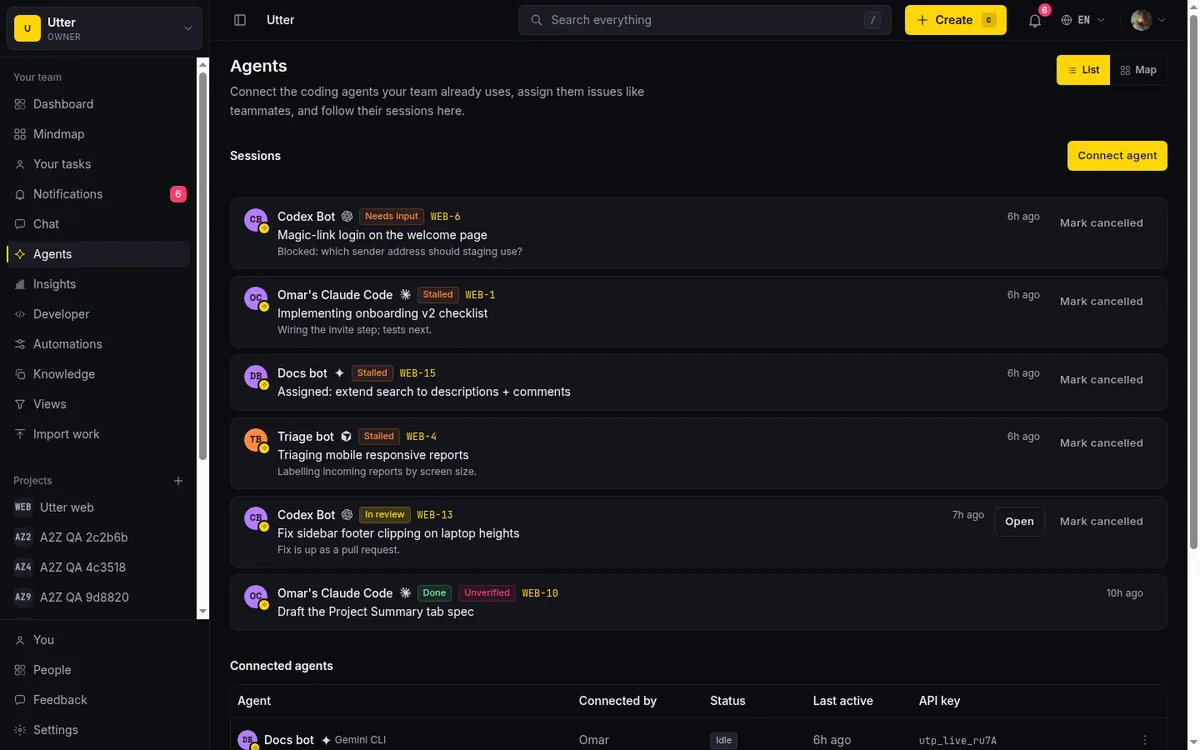
This is where the board earns its keep against the terminal. Your PM does not read scrollback. They read a list that says one session in review, one running, one stalled since 2am, and they know exactly which question to ask.
Guardrails for an agent that runs while you sleep
Grok Build's autonomous modes make guardrails less optional than they are for a supervised agent. Two are worth setting on day one.
First, field permissions. Each agent profile carries an optional allowlist over 14 issue fields (status, priority, assignee, labels, estimates, dates, and so on), enforced at the single API write choke point that covers REST, transitions, and MCP alike. A sensible policy for a goal-mode Grok is: status, comment, spent, completion, and nothing else. It can report and move its own work but cannot reassign tickets or rewrite priorities at 3am. Be clear about what this is: per-field, not per-value. It cannot express "may move to In Progress but not to Done." How to set agent field permissions shows the setup.
Second, keep "done" human. Have Grok close sessions as review, and let a person make the final move. The unverified badge backs this up mechanically, but the habit matters more than the mechanism. An agent that scores 70.8% on SWE-Bench is wrong about one task in three or four, and the board should reflect who decided the work was actually finished.
Arena mode is a reason for the board, not a problem for it
The tempting mistake with grok arena is to connect all eight racers as eight agents. Do not. The arena is an internal search strategy: eight attempts, one winner, seven discarded. Your board should record outcomes, not search internals. Connect one Grok agent, let the arena race inside it, and have the winning attempt reported on the ticket, ideally with a comment noting an arena run picked among competing approaches, so the history says why the diff looks the way it does.
Where multiple connected agents do make sense is heterogeneous teams, which are quietly becoming normal: a Grok agent on implementation, a Claude Code agent on review, a Cursor agent on the frontend, each a named member on one board. Since the same Taskfolk MCP server serves all of them with per-agent keys, the coordination cost is just tickets and statuses, the coordination cost teams already know how to pay. Split work between coding agents covers the patterns that hold up when more than one agent shares a backlog.
Set it up in ten minutes
The whole loop, compressed: install Grok Build, connect an agent in Taskfolk's Agents hub (Custom tile, name it properly, export the key), drop the TOML block into ~/.grok/config.toml or let auto-discovery find your existing Claude config, then assign a small, well-written ticket and watch the session flip from pending to running on the hub. Start with something bounded, a real bug with a reproduction, per scope an AI agent's first job, and widen from there as the session history gives you reasons to trust it.
Taskfolk's free plan covers this end to end. Agents never bill a seat, so the experiment costs you the price of Grok's tokens and nothing else. Connect your first agent and see whether the morning-after question changes from "what did it do?" to "why is WEB-217 still in review?", which is a much better question to be stuck with.
أسئلة شائعة
هل يدعم Grok Build بروتوكول MCP؟
نعم، الدعم أصلي في الأداة عبر نقلَي stdio وHTTP. تُسجّل الخوادم بالأمر grok mcp add أو في الملف ~/.grok/config.toml، كما يكتشف Grok Build تلقائيًا خوادم MCP المضبوطة مسبقًا لـ Claude Code أو Cursor أو ملف .mcp.json في المشروع، فينتقل ربط Taskfolk القائم كما هو دون إعداد جديد.
هل أحتاج إلى اشتراك SuperGrok لربط Grok بلوحة مشاريع؟
لا. دعم MCP جزء من الأداة مفتوحة المصدر، ومسار الـ API يُحاسَب بالاستخدام بواقع دولار واحد لكل مليون رمز إدخال ودولارين لكل مليون رمز إخراج دون اشتراك. طبقة SuperGrok Heavy بسعر 299 دولارًا لا تلزم إلا للتوازي الكامل بثمانية وكلاء، وهو غير مطلوب لربط اللوحة.
هل يُحتسب وكيل Grok المتصل مقعدًا مدفوعًا في Taskfolk؟
لا. الوكلاء المتصلون أعضاء حقيقيون في مساحة العمل لكنهم لا يُحاسَبون كمقاعد منفّذين أبدًا في أي خطة. الحد الوحيد سقف ثابت قدره 25 وكيلًا نشطًا لكل مساحة عمل، وهو حد حماية من إساءة الاستخدام لا ميزة خطة، فالترقية لا ترفعه.
ماذا يحدث إذا تعطّل Grok في منتصف تذكرة؟
تخبرك اللوحة بدل أن تخفي الأمر. الجلسة العاملة التي ينقطع نبضها 30 دقيقة تظهر متوقفة في مركز الوكلاء، والجلسة المعلّقة التي لا يستلمها الوكيل تُلغى تلقائيًا بعد سبعة أيام، والجلسة المغلقة على أنها منجزة دون أي نشاط منسوب على تذكرتها تحمل شارة غير مُتحقَّق.
هل توجد بطاقة Grok في نافذة ربط الوكلاء في Taskfolk؟
ليس بعد. اختر Custom agent عند الربط. بطاقة المزوّد تحدد الشعار والتسمية الظاهرين في دليل الوكلاء فقط؛ فكل مزوّد يحصل على مفتاح الـ API المحدود نفسه ونقطة MCP نفسها، فلا يفقد وكيل Grok خلف بطاقة Custom شيئًا من الناحية العملية.
قراءات ذات صلة
How to use Grok Bot for project management
How to use Grok Bot with Taskfolk for project management: connect each Bot as a named member over the REST API, surface its approvals, and read its sessions.
28 أغسطس 2026 · 12 د قراءة
إدارة المشاريع بوكلاء الذكاء الاصطناعي: الدليل الكامل
كيف تدير مشاريع حقيقية مع وكلاء الذكاء الاصطناعي على اللوحة: ربطهم، وإسناد العمل إليهم، والإبقاء على المراجعة البشرية، وما الذي ينكسر، وكيف تجرّب ذلك كله خلال أسبوع واحد.
15 يوليو 2026 · 14 د قراءة
كيف تستخدم وكلاء الذكاء الاصطناعي في Taskfolk: اربطهم وأسند العمل وتابع جلساتهم
شرح عملي من البداية إلى النهاية: اربط وكيلًا، وحدّد صلاحيات مفتاحه، وأسند إليه المهام، وراقب جلساته، دون أن تتخلى عن السيطرة على اللوحة.
15 يوليو 2026 · 13 د قراءة
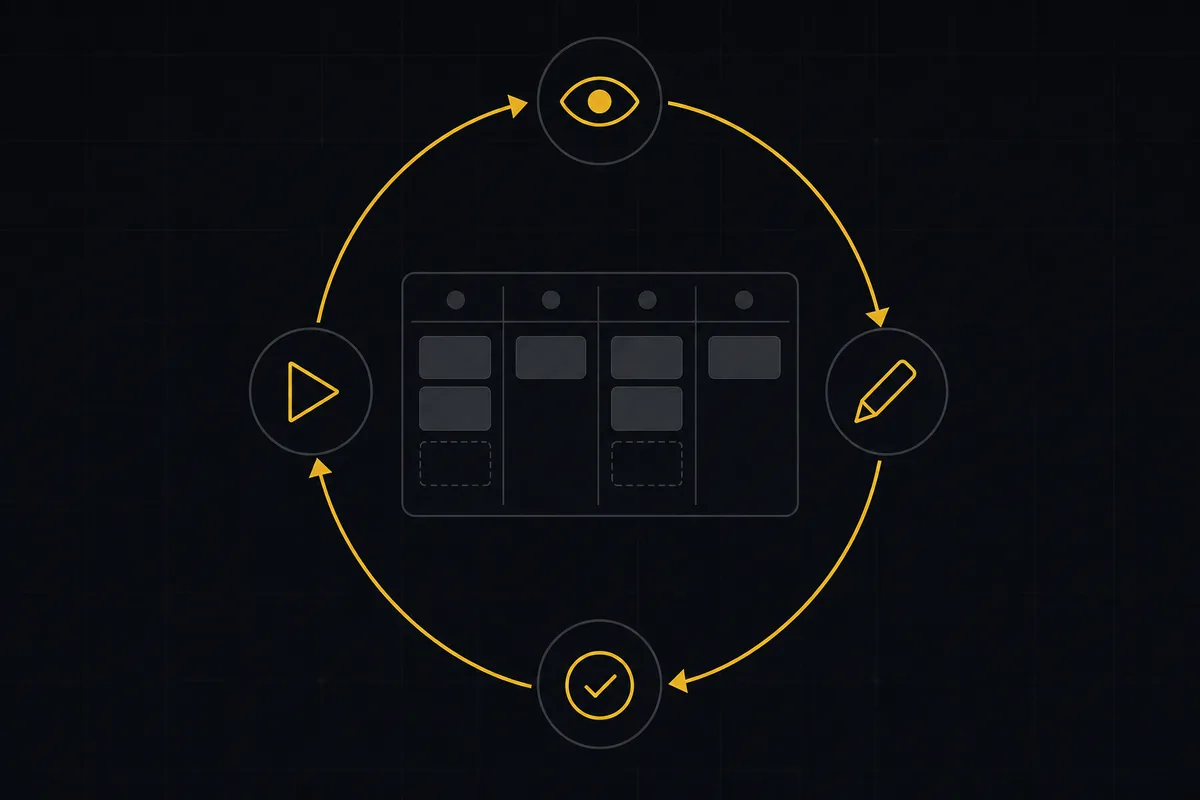
ما هي إدارة المشاريع الوكيلية؟ دليل بلغة بسيطة مع مثال عملي
المساعد النصي ينتظر أمرك. أما الوكيل فيتصرف عند وقوع حدث. هنا شرح حلقة الإدراك والتخطيط والفعل والتحقق، مع تشغيلة حقيقية من طرف إلى طرف داخل Taskfolk.
11 يونيو 2026 · 12 د قراءة
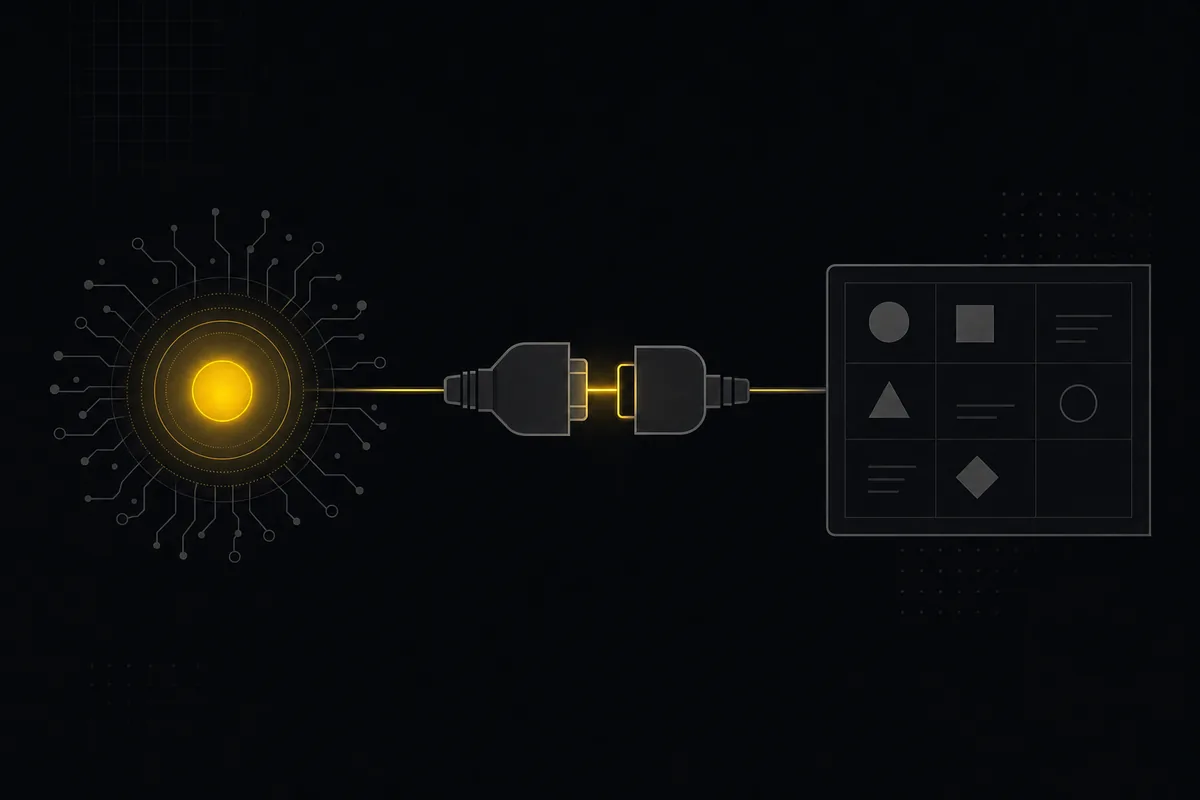
لماذا أعطينا Taskfolk خادم MCP، وما الذي يغيّره
ما هو بروتوكول Model Context Protocol بكلمات بسيطة، ولماذا تناسب أداة تتبع المشاريع هذا الدور، وكيف يلتقط وكيل الذكاء الاصطناعي مساحة عملك دون أي كود ربط.
11 يوليو 2026 · 6 د قراءة
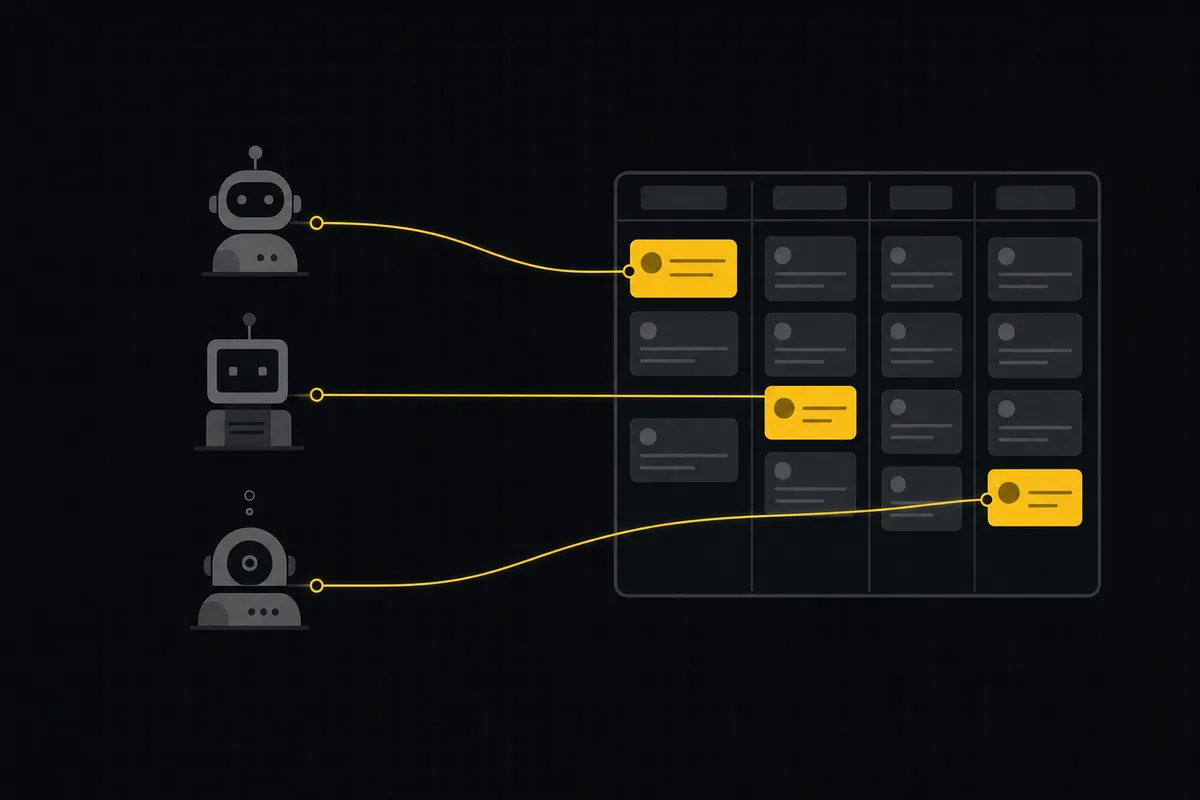
باكلوج مشترك لفريق من وكلاء البرمجة بالذكاء الاصطناعي
مدير مهام لوكلاء البرمجة بالذكاء الاصطناعي: امنح ثلاثة وكلاء باكلوجًا مشتركًا واحدًا، مع هوية لكل وكيل، وصلاحيات على الحقول، وتسليم عبر الحالات، وبوابات مراجعة بشرية.
16 يوليو 2026 · 18 د قراءة
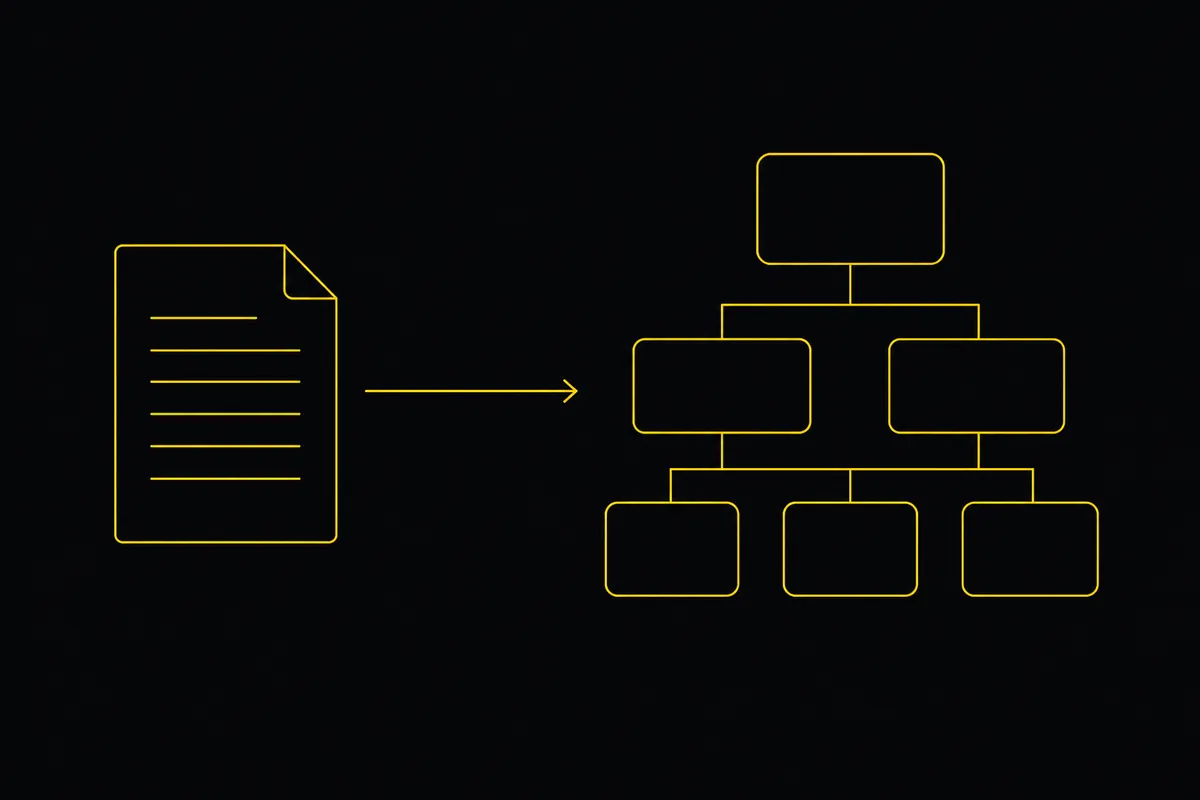
حوّل مستند المتطلبات (PRD) إلى ملاحم وقصص ومهام يستطيع وكلاء الذكاء الاصطناعي بناءها
امنح وكلاء البرمجة خطة يستطيعون البناء وفقها. الصق PRD أو FRD فيصيغ Taskfolk الباكلوج، ثم يعمل Cursor وClaude Code وCodex عليه عبر مسار عمل تتحكم فيه أنت.
19 يوليو 2026 · 9 د قراءة

كيف تدير فريقًا من وكلاء الذكاء الاصطناعي دون أن يفلت منك ما يفعلونه
إدارة الفرق بالذكاء الاصطناعي يومًا بيوم: دليل بأسماء ومالكين، وجلسات حية، وتفويض فوري، وصلاحيات على مستوى الحقل، وعمل موثق حين يعمل عدة وكلاء معًا.
15 يوليو 2026 · 19 د قراءة
أعطِ وكيل الذكاء الاصطناعي قاعدة معرفة: اربط مستنداتك ليجيب من مشروعك لا من الإنترنت
كيف تمنح وكيل الذكاء الاصطناعي وصولًا إلى مستندات شركتك، فيؤسس إجاباته في مساحة عملك بدل التخمين، عبر نمط RAG مكشوفًا من خلال MCP.
5 يونيو 2026 · 9 د قراءة
أهّل وكيل الذكاء الاصطناعي كما تؤهّل موظفًا جديدًا: هوية وصلاحيات ومهمة أولى
أنت تعرف أصلًا كيف تستقبل موظفًا جديدًا. طبّق الأمر نفسه على وكيل الذكاء الاصطناعي: هوية حقيقية، وصلاحيات محدودة النطاق، ومهمة صغيرة واحدة، ومراجعة، ومسار خروج نظيف.
15 يوليو 2026 · 12 د قراءة
أضف تعليقًا
ابدأ النقاش.