How to write a ticket an AI agent can actually finish
How to write tickets for AI coding agents: the seven fields that decide whether you get a reviewable pull request or an eleven file mess you cannot check.

You filed a two line bug report on Tuesday, assigned it to a coding agent, and went to lunch. What came back was a pull request across eleven files, three of them refactors nobody asked for, under a summary that describes the work with more confidence than you can verify without reading every line of it.
The aggregate says this is normal. LinearB's 2026 engineering benchmarks, built from 8.1 million pull requests across roughly 4,800 teams, put AI assisted PRs at a 32.7% merge rate within thirty days against 84.5% for human authored ones. They run about 2.5 times larger at the 75th percentile and wait more than five times longer before a reviewer picks them up. Figures checked July 2026.
The model is rarely the variable you control. The ticket is, and most teams hand an agent an issue written for a colleague who knows the codebase, remembers last month's architecture argument, and can tell which directories are radioactive. The agent has none of that and fills the gap itself. Eleven files is what filling the gap looks like.
We build Taskfolk, so read the product sections as interested advice. The ticket craft works anywhere.
What a human ticket assumes and an agent does not have
A ticket written for a person is a pointer. "Fix the flaky checkout test" works because your teammate knows which test, remembers the retry hack from March, and knows not to touch the payment client on a Friday. None of that is in the ticket. It lives in standup, in Slack scrollback, in the reviewer's head.
Strip that away and five things go missing every time: where in the repo this kind of change belongs, which approaches were already tried and rejected, what is off limits, what counts as done beyond "it runs", and who to ask when the ticket turns out to be wrong.
Teams half know this, which is why repos started growing agent context files. Look at what goes into them. A study of 2,303 context files across 1,925 repositories found developers document build and run commands 62.3% of the time, implementation details 69.9%, and architecture 67.7%, then security and performance requirements at 14.5% each. Teams tell agents how to build. They almost never tell them what not to break.
One piece of standard advice to drop: file paths matter less than everyone thinks. GitHub's docs for its cloud coding agent say semantic search often finds the right code even when the task names no paths. Pointing at a starting file is a courtesy, not the thing that saves the pull request.
The seven fields that change the outcome
An agent ticket runs about the same length as a good human one, but the weight sits in different places. Three of the seven fields below are the ones almost nobody writes down, and they are the three that decide whether you get a change you can review.
The boundary of what may change
An agent given an ambiguous scope will expand it, because expanding it looks like being helpful. Say the edges out loud.
Weak: "Fix the flaky checkout test."
Usable: "Fix the flaky checkout test. Change files under tests/checkout/ only. Do not modify the payment client, do not add dependencies, and do not reformat files you did not otherwise touch."
That last clause sounds petty until you review a 900 line diff that was 40 lines of fix and 860 of formatter.
The definition of stop
Left unsaid, keep going is the default, and a determined agent will refactor its way around a blocker rather than admit the ticket was too thin to finish.
Usable: "If the fix requires changing retry behaviour in the payment client, stop. Move your session to needs input and comment with what you found. Do not try more than three approaches."
Give the instruction somewhere to land. Agent sessions here have a needs_input state, and entering it notifies the agent's owner plus the issue's reporter, assignee, and watchers, so a stop is visible rather than silent.
The escalation path
Ask if anything is unclear is not an escalation path. It names no person, no place, and no format.
Usable: "If this needs a product decision, comment on this ticket and mention @dana. If the staging seed data is missing, mention @omar. Do not open a new ticket for either."
The handles have to resolve to people the agent can actually look up, which is a solvable problem and the subject of a section below.
The other four fields are table stakes, and most teams already write some version of them badly.
| Field | Weak version | Version an agent can act on |
|---|---|---|
| Goal, one sentence | "Improve checkout reliability." | "Stop the checkout page from submitting twice when the user double clicks Pay." |
| Acceptance test | "Works correctly." | "npm test tests/checkout/double-submit.test.ts passes, and it fails on current main." |
| Constraints | Usually absent | "No new dependencies. Keep the exported signature of submitOrder unchanged. No schema migration." |
| Where to start | "Somewhere in checkout." | "src/checkout/submit.ts. src/cart/apply-coupon.ts already does this guard, follow that pattern." |
The acceptance row is the one worth fighting for. If done is a command that exits zero, the agent checks its own work before it asks you to. If done is a paragraph, you are the test suite.
Put the structure in the template, not in your memory
Nobody types seven fields at 4pm on a Thursday. Week two is where ticket discipline dies, so the structure has to live somewhere other than your good intentions.
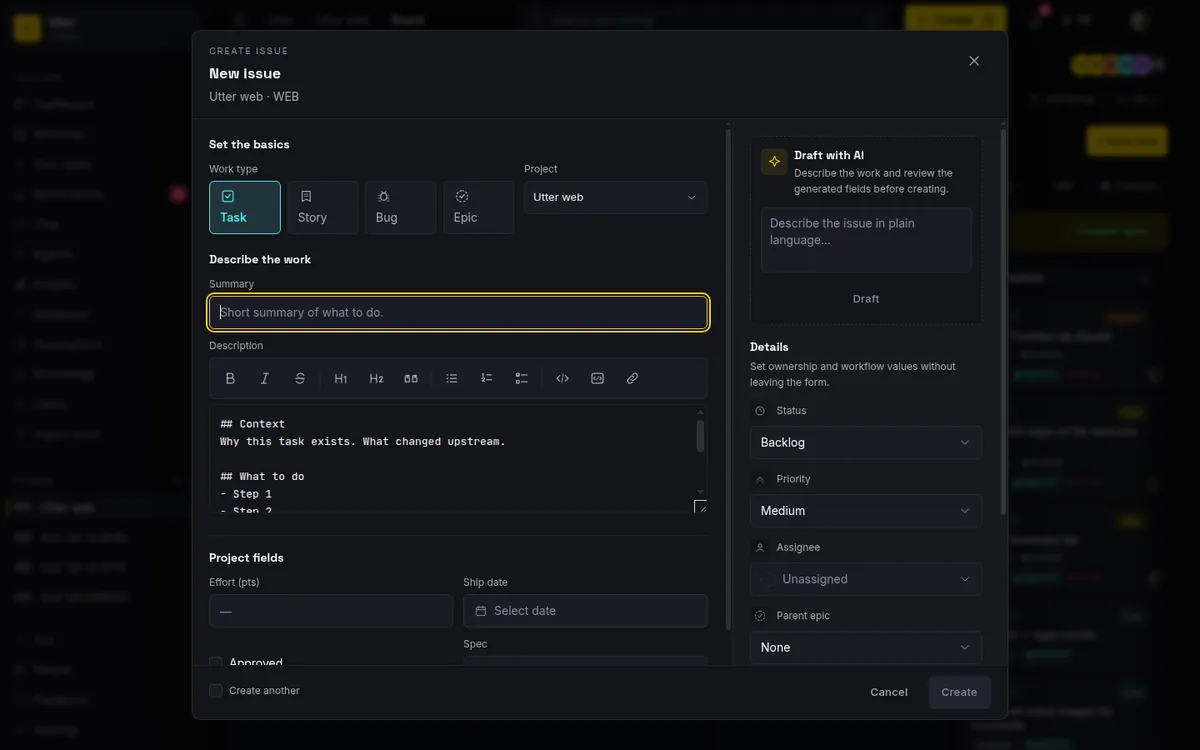
Taskfolk prefills the description in the new issue dialog from a per type template. The task one is short on purpose:
## Context
Why this task exists. What changed upstream.

## What to do
- Step 1
- Step 2

## Definition of done
- [ ] Code shipped
- [ ] Verified in staging
The bug template is stricter: reproduction steps, expected, actual, environment, severity. Stories carry a user story block with acceptance criteria as checkboxes. Editing the prefill is the expected move: delete what does not apply, add the three fields above.
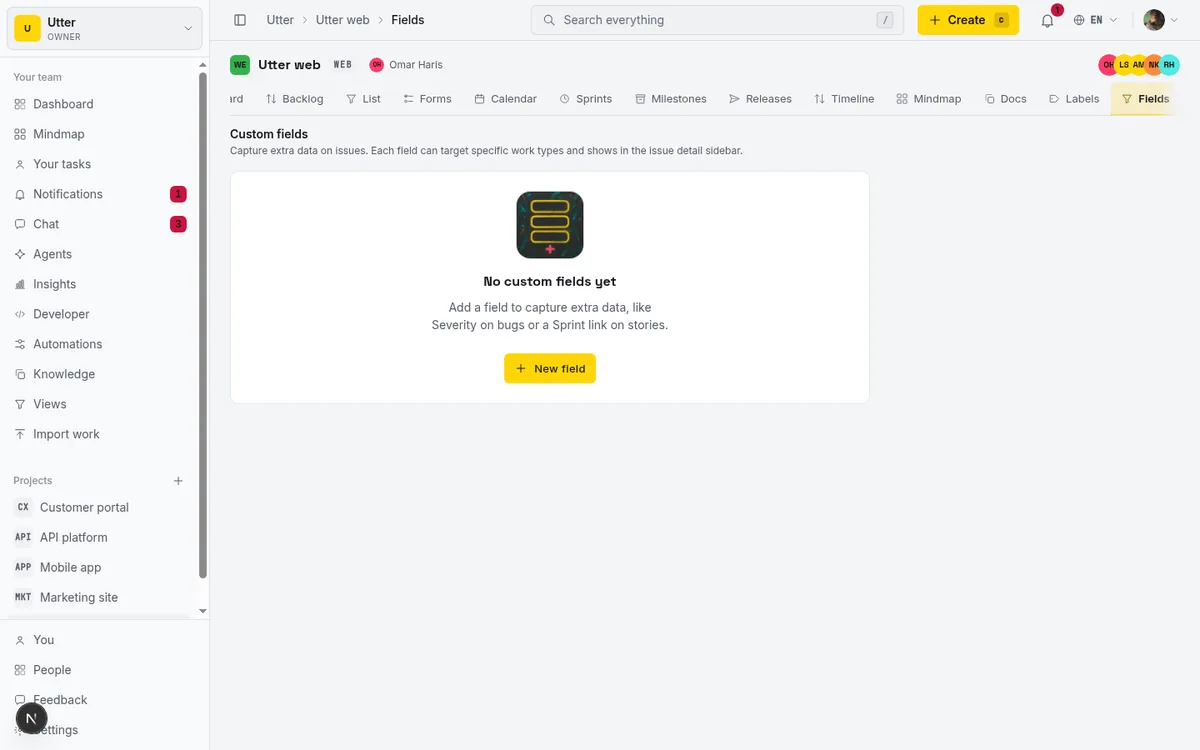
If you would rather acceptance criteria were a field than a heading, make it one. Custom fields come in ten kinds, and applies_to scopes a field to at most five work types, with an empty list meaning all of them. Attach it to bug and task, and leave epics alone.
One correction, because the marketing version of this feature is usually a lie: marking the field required does not stop anyone filing a ticket without it. What the server refuses is clearing a required field back to null once it holds a value. That is a ratchet against someone deleting the criteria three days later, not a gate at creation time. For a hard gate at intake, put the field on a request form instead, where validation rejects the submission outright. Kinds, options, and scoping are covered in custom fields in issue tracking.
Stop pasting your conventions into every ticket
The second failure mode arrives once the tickets get good: every one now carries a paragraph of workspace boilerplate. Project keys, label vocabulary, who to mention, which field holds acceptance criteria. Repeated forty times, and quietly out of date in thirty.
Split the context by how often it changes.
flowchart LR
  A["Repo agent file: build and test commands"] --> R["What the agent knows when it starts"]
  B["Workspace skill bundle: project keys, labels, mention handles"] --> R
  C["The ticket: goal, boundary, done, stop"] --> R
The repo file changes when the toolchain does. Workspace conventions change when someone adds a label. Only the third layer is per ticket, and it is the only layer a human should be typing.
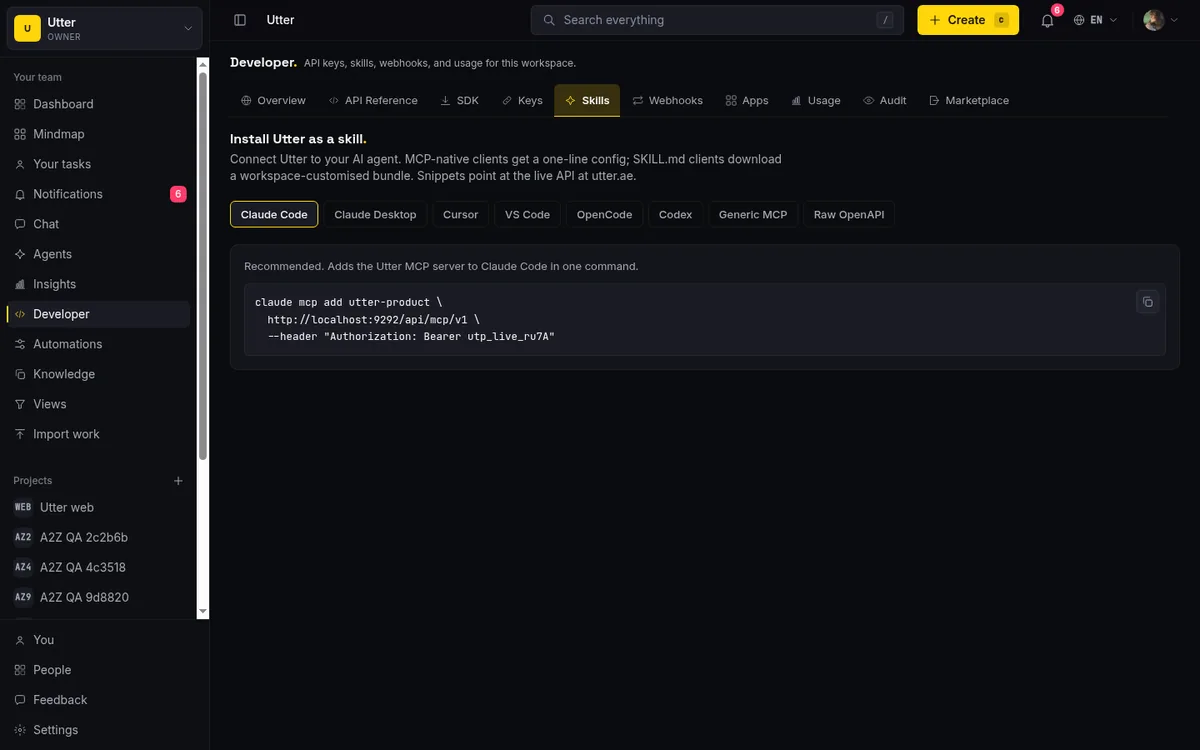
Taskfolk generates the middle layer. The skill bundle is a SKILL.md built from your live workspace inventory, plus MCP client configs for Claude Desktop, Cursor, and VS Code. Every live project renders with its key, slug, issue key format, its real labels, and its custom field definitions with kinds and options:
### WEB - Web app
- Slug: `web`
- Issue keys look like `WEB-123`. Reference them in comments as `#WEB-123`.
- Labels: `frontend`, `checkout`, `regression`
- Custom fields:
  - `Acceptance criteria` (text, required)
  - `Risk` (select), options: `low`, `medium`, `high`
Members render as a table of @handle, name, and role, which is what turns "mention @dana" into something the agent can execute. Granted scopes are listed too. Installing the bundle is covered in how to install Taskfolk as an agent skill.
Assign it, then watch the session instead of the comments
Assigning an issue to an agent creates a pending session immediately, before the agent wakes up. The reason is boring and useful: the delegation shows on the issue and on the agents hub the moment you make it, so nobody else picks up the same work while the agent is still queued.
stateDiagram-v2
    [*] --> pending
    pending --> running
    running --> needs_input
    needs_input --> running
    running --> review
    review --> done
    running --> failed
    pending --> cancelled
    done --> [*]
    failed --> [*]
    cancelled --> [*]
An agent can leave pending but never enter it, and claiming work takes over the existing row rather than duplicating it. A running session with no heartbeat for thirty minutes renders as stalled, computed when you look at it rather than written into a column that goes stale on its own. Unclaimed sessions are cancelled after seven days.
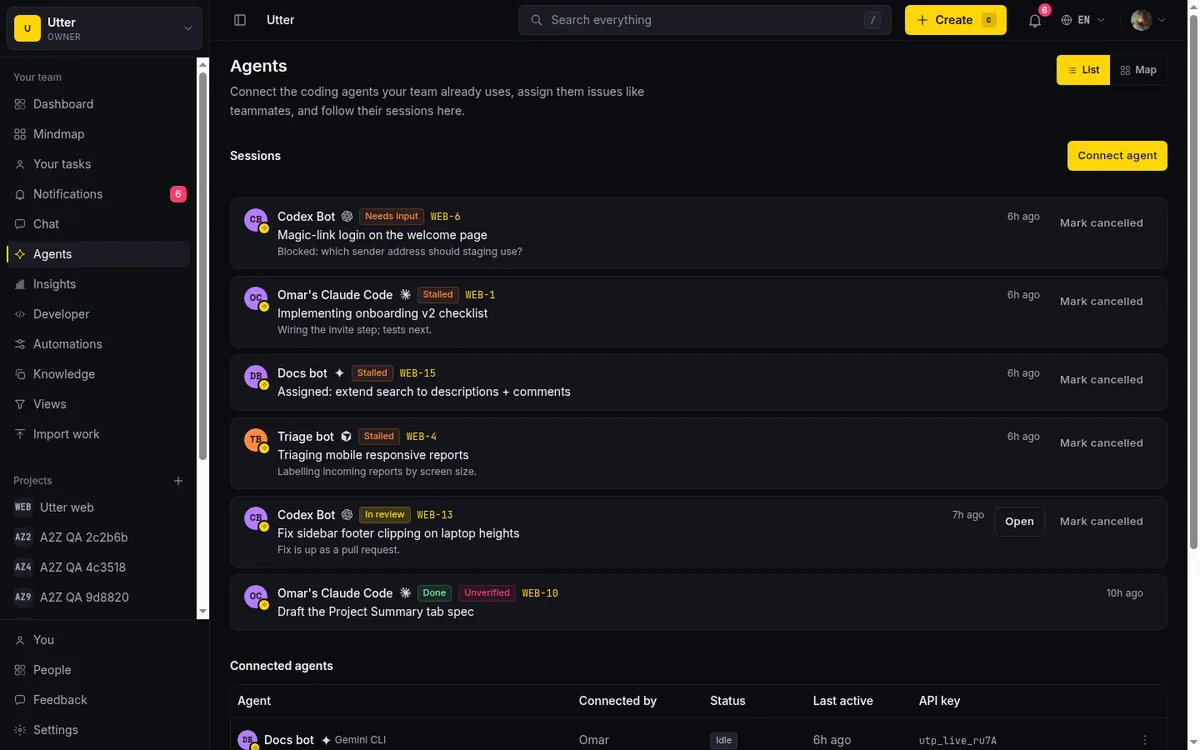
Parity, checked in July 2026, because the vendor blogs oversell the gap. Jira has let you assign work items to agents since its February 2026 beta, and Linear's agents are app users you can assign and mention, with a session created on delegation. In Linear the agent is a delegate while a human stays primary assignee and owner. Here the agent holds the assignment under its own user row, so activity and comments carry its name with no special casing.
Checking the work has its own post, managing a team of agents. One line on it here: a session that reaches review or done with no attributed activity row and no comment on its issue gets flagged unverified. That is a smoke alarm, not a verdict, and a single comment defeats it. A study of 9,799 human reviewed agentic pull requests found 33.1% of rejections left no observable decision rationale, and 5.5% of merged PRs showed no visible interaction trace either, so absence of trace is weak evidence in both directions. Your test suite still proves correctness.
Bound what the agent can write back
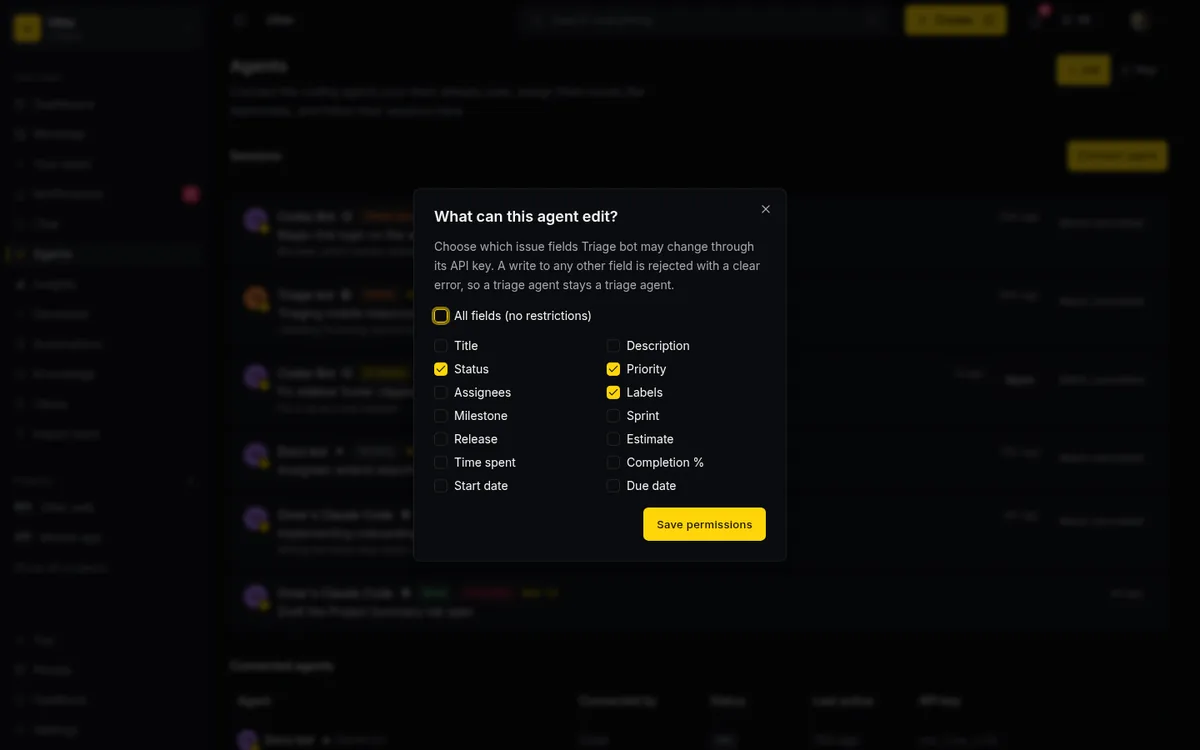
If the ticket is the contract, field policy and transition rules are the terms. Each connected agent can carry an allowlist over fourteen issue field tokens: title, description, status, priority, assignee, labels, milestone, sprint, release, estimate, spent, completion, start_at, due_at. A null policy means everything is writable. Enforcement sits at one choke point, so REST calls, the transition endpoint, MCP tool calls, and the time endpoint hit the same check instead of lookalike checks that drift apart.
Say the limit plainly: the policy is per field, never per value. You decide whether an agent may write status at all. You cannot say "only to In Review". That shape comes from allowed transitions on the board statuses, which are a real gate, since a disallowed move returns an error on every write path including the agent's own. Board rank is never gated, because stopping a triage agent from reordering cards is not the point.
WIP limits are the one control here that looks stricter than it is. The count badge and the red column border come from a board view toggle and change colour only. Transition rules enforce, WIP nudges.
| Capability | Taskfolk | Linear | Jira |
|---|---|---|---|
| Agent holds the assignment | Yes, with its own user identity | Yes, as a delegate while a human stays primary owner | Yes, agents appear as assignees |
| Per field write allowlist for one agent | Yes, 14 issue field tokens | App level install permissions, not per field | Permission and workflow schemes, not per agent per field |
| Instruction file generated from your live workspace | Yes | No published equivalent | No published equivalent |
Setup for both is in how to set agent field permissions; the delegation flow itself is in how to delegate work to an agent.
The template, in full
Copy this, delete what does not apply, and keep the last three headings even when they feel obvious.
## Goal
One sentence. The observable change, not the activity.

## Scope
Files or modules you may change. Everything else is out of bounds.

## Acceptance
- [ ] Command that must pass, and the fact that it fails today
- [ ] Behaviour a human can check in staging

## Constraints
No new dependencies. Public signatures unchanged. No schema migration.

## Start here
Path to the entry point, plus one file that already does something similar.

## Stop when
The condition under which you stop and ask instead of continuing.

## Escalate to
@handle for product decisions. @handle for environment problems.
Creating it over the API is one call, with the template in description_md:
curl -X POST https://taskfolk.ai/api/v1/workspaces/acme/projects/WEB/issues \
  -H "Authorization: Bearer tfk_live_a1b2..." \
  -H "Content-Type: application/json" \
  -d '{"type":"bug","title":"Checkout submits twice on double click","description_md":"## Goal\nStop double submission...","labels":["checkout","regression"],"priority":"high"}'
const res = await fetch(
"https://taskfolk.ai/api/v1/workspaces/acme/projects/WEB/issues",
{
method: "POST",
headers: {
Authorization: "Bearer tfk_live_a1b2...",
"Content-Type": "application/json",
},
body: JSON.stringify({
type: "bug",
title: "Checkout submits twice on double click",
description_md: "## Goal\nStop double submission...",
labels: ["checkout", "regression"],
priority: "high",
}),
},
);import requests
res = requests.post(
"https://taskfolk.ai/api/v1/workspaces/acme/projects/WEB/issues",
headers={"Authorization": "Bearer tfk_live_a1b2..."},
json={
"type": "bug",
"title": "Checkout submits twice on double click",
"description_md": "## Goal\nStop double submission...",
"labels": ["checkout", "regression"],
"priority": "high",
},
){
"id": "0199c1f4-8a2e-7c31-9d55-6b0a2f13e4c7",
"key": "WEB-412",
"url": "https://taskfolk.ai/w/acme/p/web/WEB-412",
"type": "bug",
"status": "backlog",
"assignee_id": null
}Custom field values need a second call, because the create body has no slot for them:
curl -X PUT https://taskfolk.ai/api/v1/workspaces/acme/projects/WEB/issues/WEB-412/custom-fields/$FIELD_ID \
  -H "Authorization: Bearer tfk_live_a1b2..." \
  -H "Content-Type: application/json" \
  -d '{"value":"npm test tests/checkout/double-submit.test.ts exits zero"}'
Assignment is a PATCH carrying the agent's user id, which you read from the agents endpoint. That call creates the pending session.
What this does not fix
Taskfolk does not score your tickets. No lint flags a vague one before you assign it, and building that would mostly manufacture false confidence. The fields above are a discipline, not a feature.
It also does not run your agent. Assignment and mentions push over a per agent event stream and the session record lives here, but the runtime is yours, on your machine or in CI. Session cost is whatever the agent reports, or an estimate from the token counts it reports, because the tokens are spent on your provider account where we cannot see them.
Longer is not better either. A study of agent configuration files in a hundred popular repositories found context bloat in 42% of them and lint rules leaking into instructions in 62%. A short hand written brief beats a long generated one, and a generated one that has drifted from reality is worse than nothing.
Some work should not go to an agent at all, and the clearest list comes from a vendor selling agents. GitHub's own docs say to keep cross repository refactors, substantial business logic, anything touching security, authentication, or personal data, incident response, open ended work, and any task you took on to learn something. A ticket that is hard to write in the shape above is usually telling you it wants a human.
If this is your first delegation, scope an agent's first job covers picking one that will not embarrass you. Turning a brief into epics and tasks covers where the tickets come from.
Start with one. Take the next bug you were going to assign, add the scope line, the stop condition, and the escalation handle, then read the diff that comes back. If it is still eleven files, the ticket is still doing the guessing for you.
Frequently asked questions
How long should a ticket for an AI agent be?
Shorter than most people expect. Ten to twenty lines covering goal, scope, acceptance, constraints, a starting file, a stop condition, and an escalation handle is enough for almost any single ticket. Length is not the signal, specificity is.
Should acceptance criteria be written as tests?
Where you can, yes. A command that exits zero lets the agent check its own work before it asks you to, which is the difference between reviewing a change and re-testing it. For behaviour you cannot automate, write a check a human can run in staging in under a minute.
Do I need a different template for agents than for people?
No, and maintaining two is how they drift apart. The fields agents need are the ones humans quietly infer, so writing them down helps new hires as much as it helps agents. One template per work type is plenty.
What do I do when the agent asks a clarifying question halfway through?
Answer on the ticket, not in a side channel, so the answer stays attached to the work. If your agent moved its session to needs_input, you get a notification and the session on the issue shows the work waiting on you rather than silently stalled.
Can I stop an agent from changing the status to Done itself?
Two ways, and they are different. Remove status from that agent's field policy and it cannot write status at all, since the policy is per field rather than per value. Or configure allowed transitions on your board statuses so no path reaches the done category directly, which applies to everyone including the agent's own writes.
Related reading

The agent's pull request is 80 percent right. Now what?
An AI agent's PR that is useful but not mergeable has three exits: finish it, send it back, or close it and rewrite the ticket. How to pick in five minutes.
28 July 2026 · 11 min read

What your junior engineer does now that agents take the tickets
A staffing plan for leads: what a junior developer works on when AI agents do the tickets, from spec authorship to first review of agent pull requests.
28 July 2026 · 12 min read

Did your AI agents actually save time, or did it just feel fast?
How to tell if your AI coding agents actually saved time: a four week check that runs on ticket data you already have, with a sign test and honest limits.
28 July 2026 · 11 min read

How to scope an AI agent's first job so the pilot doesn't die
Most first AI agent projects fail on scope, not model quality. Here is how to pick a first job narrow and checkable enough to actually ship.
15 July 2026 · 9 min read

How to tell when an AI agent is stuck (and what to do about it)
A looping, waiting, or hung agent looks exactly like a working one. Here is how to get a real signal on an agent's live state and catch stuck runs.
15 July 2026 · 8 min read

Who reviews your AI agents while you're on holiday
Who reviews AI agent work while you are on holiday? Triage every session, name a second owner, shrink write scope, and set an interrupt threshold.
28 July 2026 · 11 min read
The agent stopped halfway and the board still says in progress
Your AI agent died at 60 percent and the ticket still says In Progress. How to pick up where an agent left off, and stop the board lying about it.
28 July 2026 · 11 min read

Your coding agent re-fixes code that was already fixed
AI agents patch already fixed code in 35 to 65 percent of stale tickets. What a work item must carry so a fresh session tells done from open.
28 July 2026 · 12 min read

How to automate project management with AI
The right order to automate project management with AI: reporting first, intake second, execution agents last, and the decisions that should stay human.
15 July 2026 · 10 min read
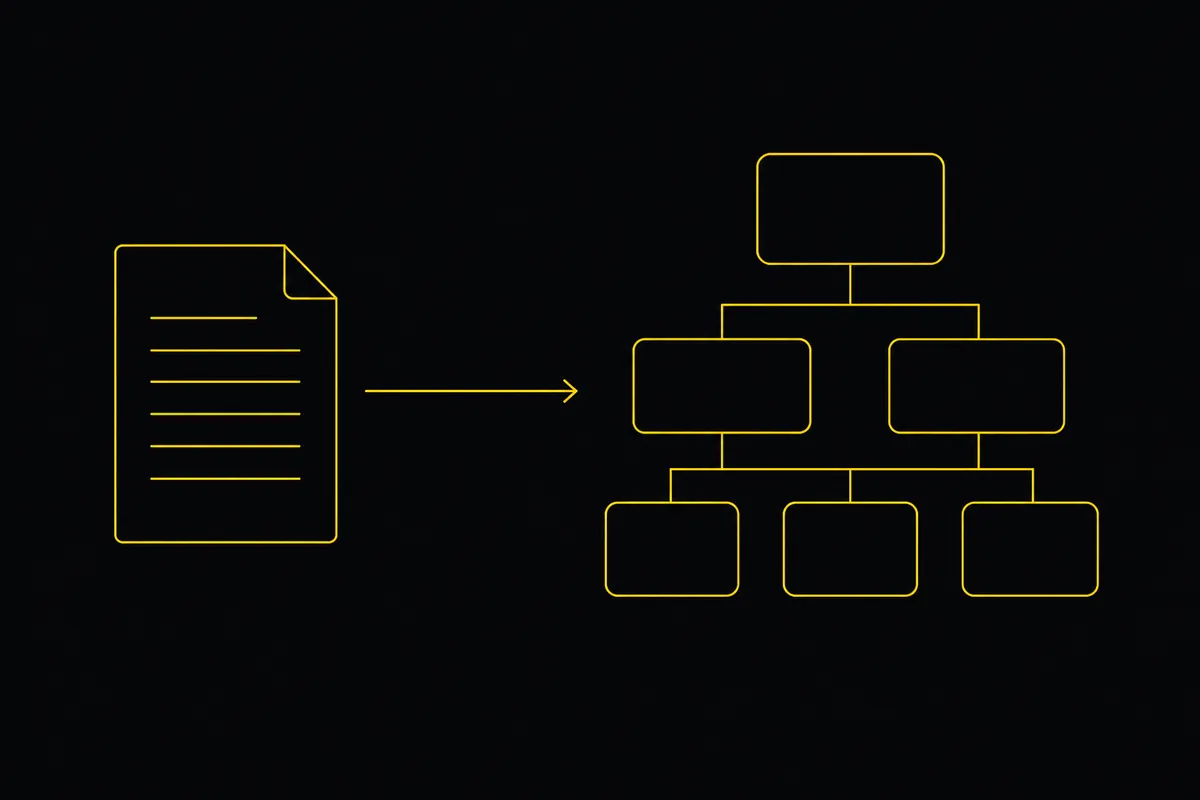
Turn a PRD into epics, stories and tasks agents can build
Give your AI coding agents a plan they can build. Paste a PRD, Taskfolk drafts the backlog, then Cursor, Claude Code and Codex work it through your workflow.
19 July 2026 · 9 min read
Add a comment
Start the conversation.