Comparison

Taskfolk vs Smartsheet.
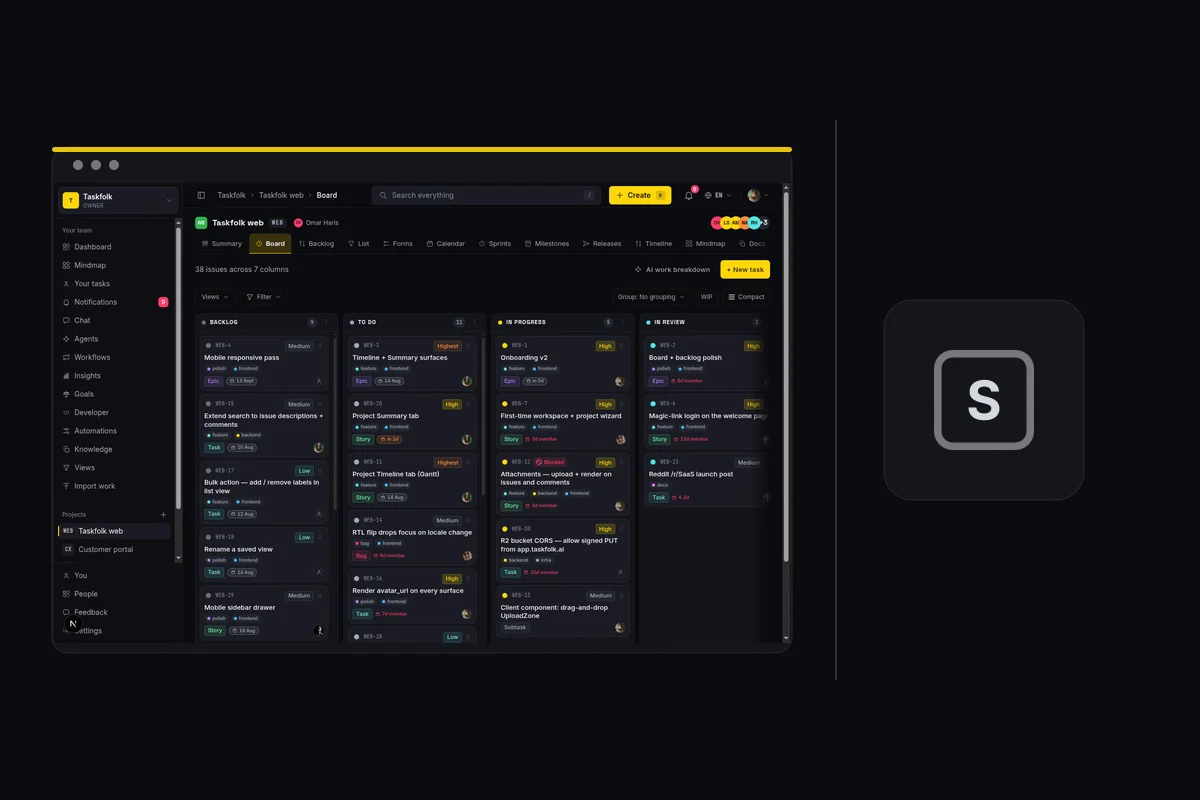
Smartsheet took the spreadsheet everyone already understood and built enterprise work management on top of it. Taskfolk went the other way: a purpose-built tracker where sprints and reports are features rather than formulas, with AI agents as members.
Last updated: 15 Jul 2026
The quick answer
Choose Smartsheet if your organisation thinks in spreadsheets and needs enterprise governance, portfolio rollups, and grid-shaped process automation across departments. Choose Taskfolk if you build software, because sprints, velocity, burndown, backlog ranking, and issue keys are native rather than columns you maintain, and AI agents join as assignable members. Smartsheet prices per plan (Pro is $129 a month for up to 10 members); Taskfolk is $3 per builder with free unlimited viewers.
The short version.
Pick Taskfolk if
- You ship software. Issues with types and keys, epics, sprints, velocity, and burndown are native, not columns and formulas you maintain.
- You want AI coding agents as named members with live sessions on the ticket, and per-agent limits on which fields they can write.
- You are a small or mid-size team. Smartsheet's Pro plan starts at $129 a month, before you have compared a single feature.
Stick with Smartsheet if
- Your organisation genuinely runs on grids, and moving people off a spreadsheet metaphor would cost more than the tool ever will.
- You need enterprise governance, portfolio rollups, and control features that Taskfolk does not offer at that depth.
- Your free Contributors matter: unlimited people can view, comment, and submit forms without a licence, which is a real advantage.
Feature by feature.
| Feature | Taskfolk |  Smartsheet Smartsheet |
|---|---|---|
| Pricing model | Per builder: $3 or $6 / month, from 1 seat | Per plan, with member bands |
| Entry paid plan | $3 per builder / month | Pro, $129 / month annually, 1 to 10 members |
| Next tier up | $6 per builder / month (Business) | Business, $249 / month annually, 3+ members |
| Free plan | Unlimited members, 5 projects | Closed to new customers since August 2024 |
| Free read access | Viewers free, unlimited, on every plan | Unlimited free Contributors; free Guests from Business up |
| Core model | Typed issues with keys, estimates, and workflow rules | Sheets, rows, and columns |
| Sprints, velocity, burndown | Native, out of the box | Build it from columns and reports |
| Timeline / Gantt | Built in, with dependencies | Yes, a long-standing strength |
| Docs and wiki | Built in | No standalone docs product |
| Forms | Public branded forms that file issues | Yes, forms that write rows |
| AI | Included: AI credits on every plan, Free included | AI features on paid plans |
| Named AI agents as members | Yes, with their own profile and attribution, never billed as seats | No, AI runs as features inside the product |
| Live agent sessions on the ticket | Yes, see which agent is running, blocked, or ready for review | No |
| MCP server | Yes, first-party, covers the full API | Yes, first-party, generally available since 2026 |
| Trial | 14 days of Pro on your first workspace, no card | 30-day trial |
Rival prices and limits are public list prices as of August 2026. Check smartsheet.com/pricing for current numbers. Smartsheet prices per plan, not per seat, so the two models do not line up cleanly.
What a real team pays.
Smartsheet and Taskfolk price on different axes, so compare floors rather than seats. Smartsheet's entry plan is $129 a month whether you are three people or ten. Taskfolk charges per builder from one seat, so a small team pays single digits and a large one still only pays for the people changing work.
Team of 6 builders and 20 viewers, per month
- Smartsheet Pro: $129 flat, up to 10 members, Contributors free
- Taskfolk Pro: 6 builders at $3 = $18, viewers free
Credit where it is due: Smartsheet's unlimited free Contributors mean the 20 viewers cost nothing there either, exactly as on Taskfolk. The gap is the floor and the model, not read access. Past 10 members Smartsheet moves to Business at $249 a month.
Cheapest way to settle this is to try it
14 days of Pro on your first workspace, no card. Import a real project, put your actual team in, and look at the board on a Monday.
Where Smartsheet is genuinely strong.
Free Contributors
Unlimited people can view, comment, attach files, and submit forms without a licence. That is a genuinely generous read model and the same instinct behind Taskfolk's free viewers.
The grid everyone already knows
Nobody needs training to read a sheet. For organisations where adoption is the hard part, starting from a spreadsheet metaphor removes most of the resistance.
Enterprise governance and portfolios
Control centre, portfolio rollups, and administrative depth built for large regulated organisations. Taskfolk does not attempt this layer.
Where Taskfolk is different.
A tracker, not a grid
Sprints, velocity, burndown, cumulative flow, backlog ranking, and dependencies are computed from typed issues. In a sheet they are columns and formulas that drift the moment someone edits a row.
A floor of one seat
Paid plans start at $3 for a single builder rather than $129 for a plan. A team of three pays $9, not a plan price sized for ten.
Agents are teammates, not scripts
Connect Claude Code, Codex, Cursor, or any MCP client as a named agent. Assign it issues, watch its session run on the ticket, and see every change attributed in the activity log.
Switching from Smartsheet.
The honest objection to any comparison page is the move itself. Here is what it takes, without the sales gloss.
Connect Smartsheet
There is no Smartsheet connector. Export the sheet to CSV and upload it, which is the one migration on this site where the source format is already a table. Map the columns you keep and drop the rest.
Map the columns
You get a preview before anything is written. Match their statuses, types, and priorities to yours, and merge the columns that were always the same thing.
Run the import
Free workspaces import 1,000 rows per run, Pro 10,000, Business 50,000. Anything large runs in the background and emails you when it finishes.
Invite the team
Add the people who change work as members and everyone else as viewers. Viewers are free with no cap, so there is no reason to leave stakeholders out.
What comes across
Titles, types, statuses, priorities, assignees matched by email, labels, descriptions, comments, attachment links, due dates, and estimates.
What does not
Activity history, tool-specific custom fields, and automation rules. Rules are worth rebuilding by hand anyway; most teams find half of them were dead.
A sheet usually carries more columns than a tracker needs. Import the ones that drive work and leave the reporting columns behind; velocity and burndown are computed for you afterwards.
If it does not work out
Your data stays yours
Every issue, comment, and attachment is readable through a REST API with over 180 operations. Nothing is trapped in a format only we can open.
No card to start
The trial needs an email address. There is no card on file, so there is nothing to cancel if you walk away.
Free is a real plan
When the trial ends the workspace drops to Free and keeps working. It does not lock, and it does not hold your issues hostage.
Common questions.
Are Smartsheet's free Contributors the same as Taskfolk's free viewers?
Close, and it deserves credit. Smartsheet gives unlimited free Contributors who can view, comment, attach files, and submit forms, so read access costs nothing there either. The difference is the floor: Smartsheet's entry plan is $129 a month for up to 10 members, while Taskfolk starts at $3 for one builder.
Can I import a Smartsheet sheet?
Yes, through CSV, and it is the easiest source format on this site because a sheet is already a table. Export it, then map the columns that drive work and drop the reporting columns; velocity and burndown are computed for you afterwards.
What does Taskfolk not have that Smartsheet has?
Enterprise governance at depth: Control Center, portfolio rollups, and the administrative surface large regulated organisations run on. The grid metaphor itself is also an advantage where adoption is the hard part, because nobody needs training to read a spreadsheet.
Does Smartsheet still have a free plan?
No. Smartsheet closed its free plan to new customers; new sign-ups get a 30-day trial and then choose a paid plan. Existing free accounts were grandfathered. If you want a genuinely free tier for a small team, Taskfolk Free has unlimited members, unlimited issues, and 5 projects with no trial clock attached.
Try the whole thing free.
Every new team gets 14 days of Pro on their first workspace, no card. Import one sheet and see what a tracker computes that a grid makes you maintain.