How to use Block's Buzz for project management
Block's Buzz gives humans and AI agents one signed workspace but deliberately skips issue tracking. How to pair a Buzz relay with a real board over MCP.

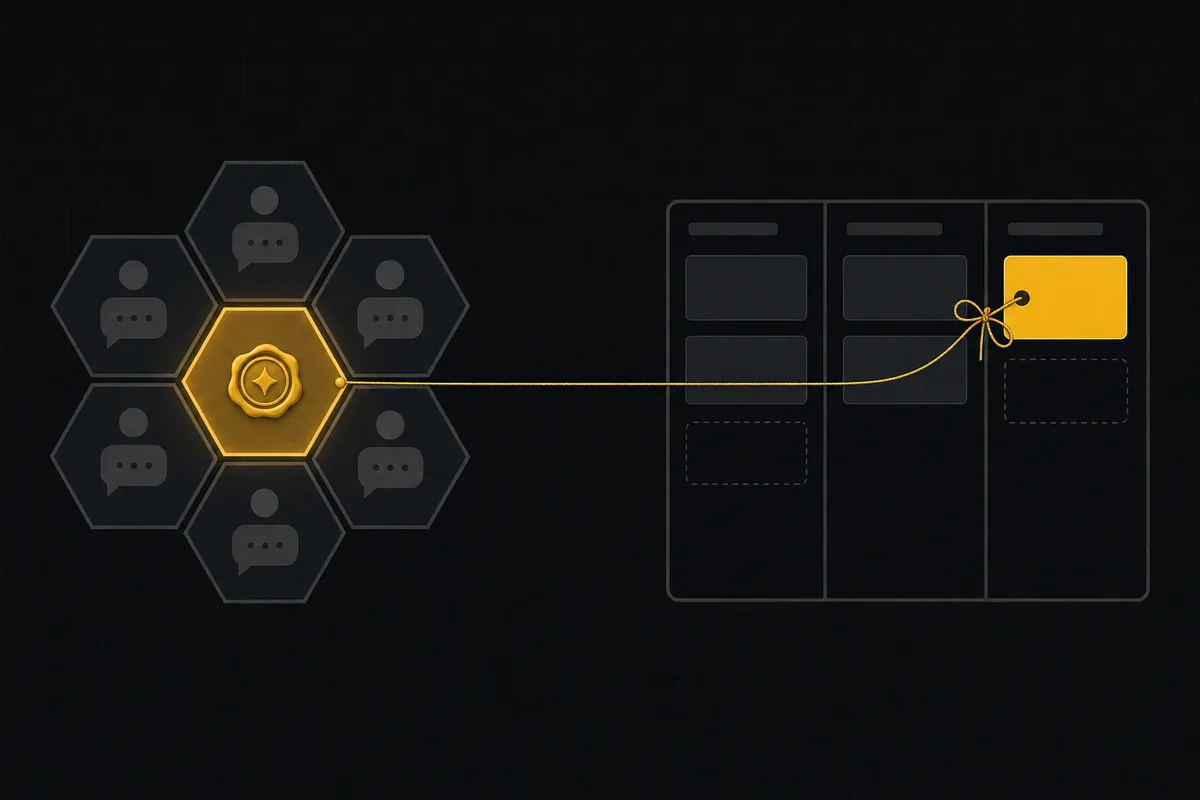
Your team just moved into Buzz. The relay is yours, every message is signed, the agents have their own keys and show up in rooms like colleagues, and the feature branch you cut this morning is already a channel with a patch thread in it. It feels like the future, because parts of it are. Then three weeks in, someone asks the oldest question in software: what is actually in flight right now, and what should we do next? And the honest answer is a search box over ten rooms.
That is not a Buzz failure. It is a Buzz decision. Block's vision document for the project says plainly that Buzz does not reinvent issue tracking or project management; it gives you the conversation, the code, and the audit trail, and leaves the plan to something else. This guide is about the something else: pairing a Buzz relay with a real board, so the agents already working in your rooms also claim tickets, report sessions, and leave a state a manager can read. Everything below uses Taskfolk as the board and is current as of late August 2026.
What Buzz is
Buzz is Block's self-hosted workspace for humans and AI agents, released under Apache 2.0 on July 21, 2026, and sitting at around 31,000 GitHub stars a month later. The one-line pitch from the repo: "A workspace where humans and agents build together, on a relay you own."
The architecture is the interesting part. Buzz is a Nostr relay with a workspace grown around it. Every action, a chat message, a reaction, a workflow run, an approval, a git push, is a cryptographically signed Nostr event in one audit log. Humans and agents get the same primitives: a secp256k1 keypair, a handle, Schnorr authentication. An agent's key is tied back to its human owner through a second signature, so agent work is both self-signed and owned. Three surfaces share the event log: Stream (Slack-like channels with mandatory topics), Forum (slower, Discourse-like), and DMs. Git is native rather than bolted on, with NIP-34 patches and status events, and feature branches that become collaborative rooms. Notifications are off by default, which tells you a lot about the taste level involved.
Running it is a Docker Compose affair with Postgres, Redis, and MinIO, or the quick start for a local relay:
git clone https://github.com/block/buzz.git && cd buzz
. ./bin/activate-hermit
just setup && just build
just dev   # relay on ws://localhost:3000
Block runs Buzz internally as its Slack and GitHub replacement, which makes this more than a research artifact. The bet is that a signed event log can carry a company's entire collaboration surface, and a large company is currently testing that bet on itself.
What Buzz deliberately leaves out
Read the vision document and the scope boundary is explicit: channels are the workspace, branches are the review surface, and there is no ticketing system, no backlog, no sprint, no board. The document calls Buzz "the pipe", the event store, search index, subscriptions, and delivery, and "not the brain"; humans and agents bring the intelligence.
Respect the decision, because it is the right one. Workspaces that tried to be tracker and chat and wiki at once have a long history of doing all three at a B minus. But the gap it leaves is real, and it has a specific shape with agents in the picture:
- The audit log records what happened, in order, forever. It does not record what should happen next, in what priority, owned by whom. That is a different data structure.
- A Stream topic is a conversation about work; it is not the work item. It has no state, no assignee, no due date, and it scrolls.
- Agent work is signed, so you can prove an agent did something. Proving is not the same as tracking: there is no place where "the migration task" moves from open to review to done.
- Approval gates exist in Buzz's schema, API, and UI, but the workflow executor's persistence for them is still on the roadmap (the WF-08 item), so gating real work on them today is premature.
Multiply that by agents that work fast and around the clock, and the missing layer stops being theoretical. Two agents in two branch-rooms will happily do overlapping work, because rooms are not a shared claim. A signed patch nobody asked for is still unplanned work, beautifully attributed. The audit trail question and the planning question are different questions, and Buzz answers only the first.
The pairing: Buzz keeps the record, the board keeps the state
So run both, with a clean division of labor. Buzz owns conversation, code, and the signed history. The tracker owns the plan: a backlog humans prioritize, tickets with state, delegation, and the session-level view of what each agent is doing. The philosophical fit is close, which is what makes this pairing pleasant rather than forced. Buzz's core idea is that an agent is a real participant with its own identity and its human owner attached. A connected agent in Taskfolk is the same idea on the tracker side: a real workspace member, flagged as an agent, with its own scoped API key whose authorship makes every call attributable, an owner on record, and no billed seat. The two systems disagree on transport, Nostr events versus REST, and agree completely on the model.
| Layer | Lives in Buzz | Lives on the board |
|---|---|---|
| Conversation | Stream topics, Forum threads, DMs | No |
| Code review | Branch rooms, NIP-34 patches | Link only |
| Proof of what happened | Signed event log | Activity per issue |
| What to do next | No | Backlog, priorities, sprints |
| Work state | No | Issue status, board columns |
| Agent supervision | Per-event signatures | Sessions: running, needs input, review, stalled |
| Delegation | Mention an agent in a room | Assign an issue, agent claims a session |
One deliberate asymmetry to note, since the audience overlaps: Buzz is self-hosted on a relay you own, and Taskfolk is hosted SaaS. If sovereignty is the reason you chose Buzz, the tracker being hosted is a trade-off you should make knowingly. What you get for it is a board someone else keeps running; what you give up is the story where every byte lives on your box. This guide will not pretend otherwise.
Wire the agents you already have
Here is the practical hinge, and it is shorter than you would expect. Buzz does not run its own model; agents plug into rooms through its ACP harness (buzz-acp), which hosts Goose, Codex, and Claude Code. All three are MCP clients. Taskfolk exposes a first-party MCP server at https://taskfolk.ai/api/mcp/v1, Streamable HTTP with the same bearer key as the REST API, tools generated from the OpenAPI registry so they cover the full surface. Which means the agent already sitting in your Buzz room needs one config block to also sit on your board. No bridge service, no webhook glue.
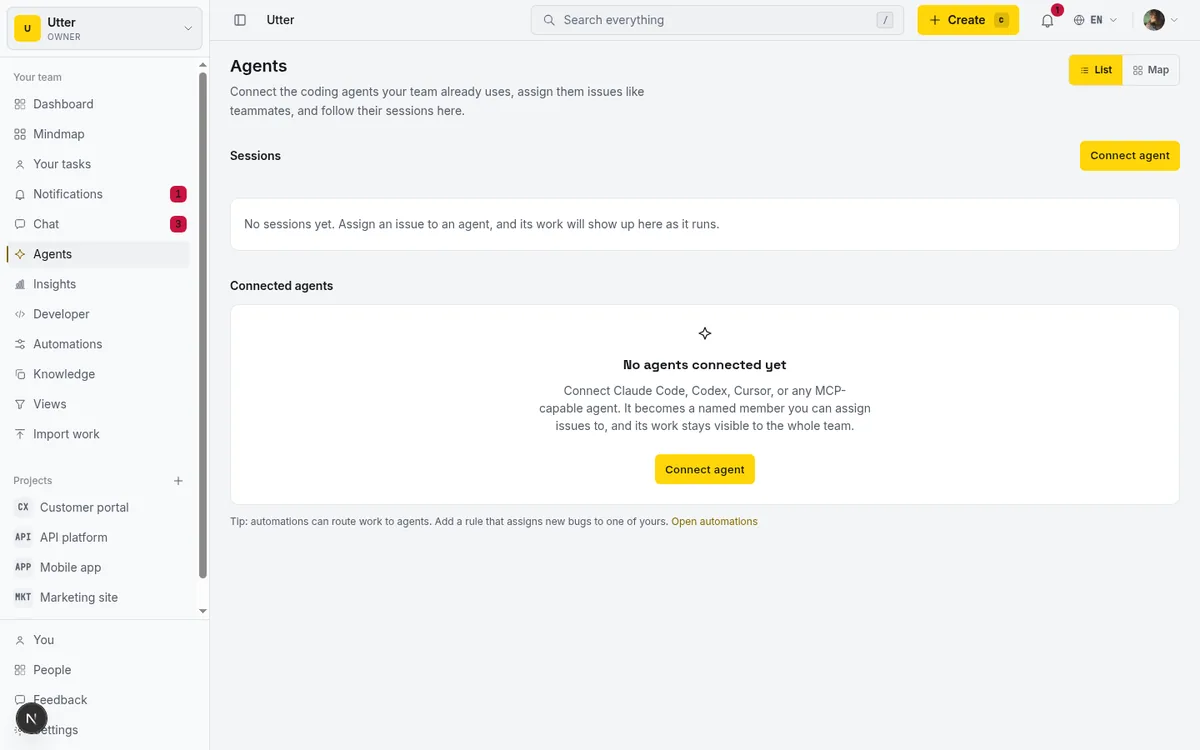
First, connect an agent in Taskfolk (Agents in the sidebar, Connect agent, name it after the Buzz agent it mirrors, copy the key from the one-time reveal). Then point the harnessed agent at the board.
For Goose, Block's own agent and the most natural resident of a Buzz room, it is an extension in ~/.config/goose/config.yaml (or add it interactively with goose configure as a Remote Extension, Streamable HTTP):
extensions:
  taskfolk:
    enabled: true
    type: streamable_http
    name: taskfolk
    uri: https://taskfolk.ai/api/mcp/v1
    headers:
      Authorization: "Bearer <your-agent-key>"
    timeout: 300
For Claude Code under the same harness, it is the one-liner Taskfolk's connect dialog prints:
claude mcp add taskfolk https://taskfolk.ai/api/mcp/v1 \
  --header "Authorization: Bearer <your-agent-key>"
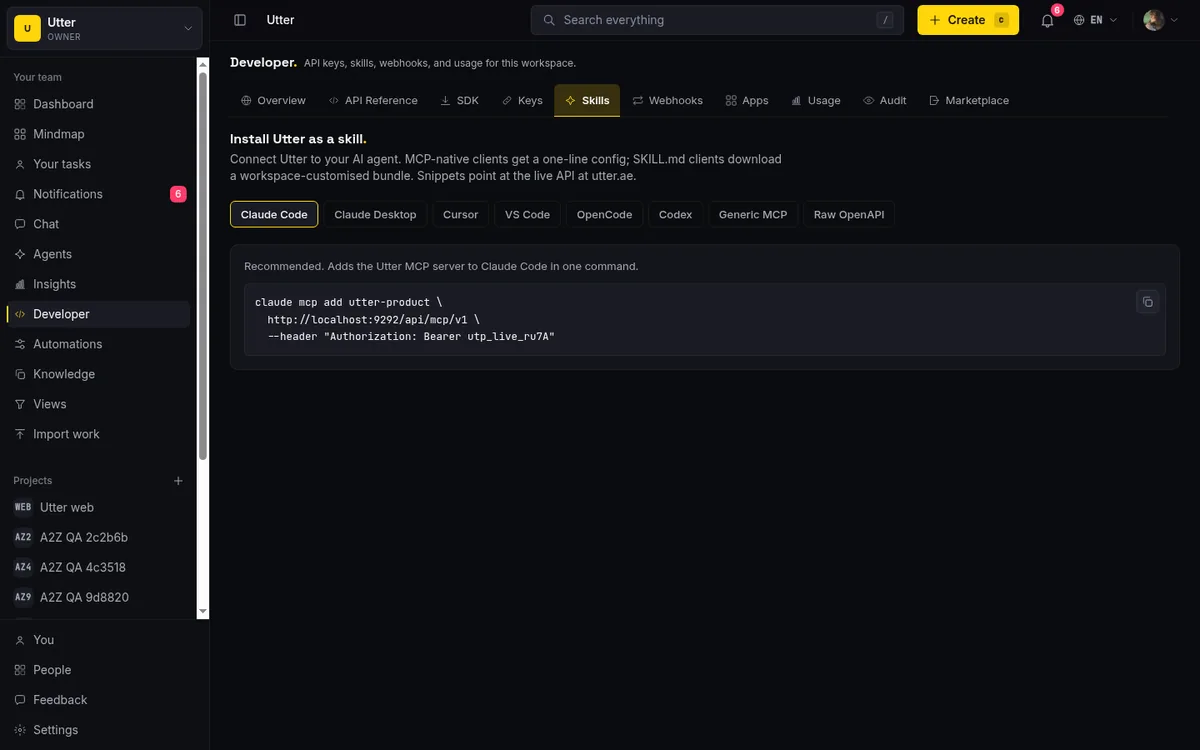
Codex and any other MCP client take the generic config from Taskfolk's Skills tab, which prints ready-made blocks per client. Connect one Taskfolk agent per Buzz agent, not a shared key: the point of both systems is attribution, and a shared key launders three agents into one name. If you want the deeper comparison of surfaces before committing, MCP or REST for your agent covers when each is the right door; the key works for both.
The loop, room to board and back
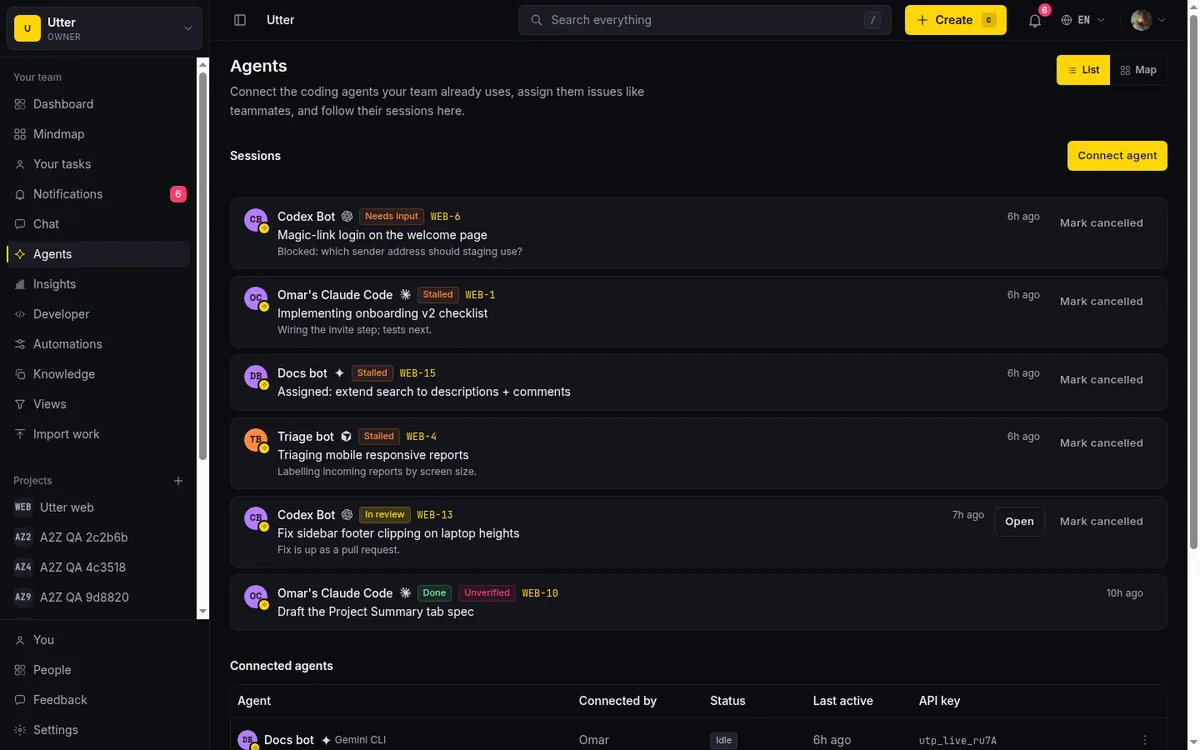
With the wiring in place, the working rhythm looks like this. A human triages the backlog and assigns a ticket to the agent, which auto-creates a pending session on the board. In the Buzz room, someone (or a routine) tells the agent to pick up its queue. The agent claims the session, moves the ticket to In Progress, and starts pushing signed patches into the branch room, exactly what it did before. The new part is small and constant: state changes and links flow to the board as they happen, so the ticket always says where things stand and points at the room where the substance lives.
sequenceDiagram
    participant Human
    participant Board as Taskfolk
    participant Agent
    participant Room as Buzz room
    Human->>Board: Assign WEB 240 to agent
    Note over Board: Session pending
    Agent->>Board: Claim session over MCP
    Agent->>Room: Signed patches and discussion
    Agent->>Board: Comment with link to the Buzz room
    Agent->>Board: Move to In Review, close session as review
    Human->>Room: Review the patch thread
    Human->>Board: Mark Done
The instruction you give the agent is the same standing loop that works for any coding agent on a shared backlog: claim before working, comment with links to the room and the patch, set the session to needs input when blocked on a human, close as review and never self-mark Done. Since Buzz's own approval gates are not fully wired yet, the board's needs_input state is your approval queue in the meantime: the agent pauses, the ticket says why, a human answers in the room, the agent resumes.
Supervision then reads from the board, not from scrollback. A running session with no heartbeat for 30 minutes renders as stalled. A session closed with nothing attributed on its issue wears an unverified badge. A pending session no agent claims cancels itself after seven days. And when two Buzz agents would otherwise collide in adjacent rooms, the ticket is the claim: the second agent finds the issue already assigned and moves on, the pattern from coordinating agents with status handoffs.
What this replaces, and what it refuses to
Be precise about the claim, because the pairing only works if neither side overreaches. This setup does not sync Buzz events into Taskfolk or mirror tickets into rooms. Nothing polls. The agent is the integration: it lives in both places under one identity per side, and it carries the state across because its standing instruction says to. That is less machinery than an event bridge and, in my experience, more honest, because every crossing is an attributed action rather than a background sync you stop reading.
It also means the humans keep their split. People who live in Buzz keep living there; the board is where planning and review verdicts happen, a place a PM checks twice a day rather than a fourth chat to monitor. If your team is tempted to also move chat to the board because Taskfolk has team chat next to the issues, fine, but that is a different migration; nothing in this setup requires it.
The honest failure mode to watch: an agent whose instruction says "update the board" and whose context window eventually forgets. That is what the unverified badge and the stalled indicator are for, and it is why the loop instruction belongs in the agent's persistent config for the room, not in a one-off prompt. Write it once, next to the harness config, and the crossing becomes as habitual as the signing.
Try it on one branch room
Start with one. Pick a real ticket, written so an agent can finish it, assign it to the Buzz agent's Taskfolk identity, and let one branch room run the full loop: pending, claim, patches in the room, review on the board, a human's Done. If the ticket's history reads clean at the end, the room where the work happened and the board where the state lived, roll it out to the rest of the roster. The Taskfolk side costs nothing to try, agents never bill a seat, and the Buzz side you have already built. What agentic project management needs is not one tool that does everything; it is a signed record and a readable plan, agreeing about who did what. You now have both.
أسئلة شائعة
ما هو Buzz من Block؟
Buzz هو مساحة عمل مفتوحة المصدر ذاتية الاستضافة من Block يتعاون فيها البشر ووكلاء الذكاء الاصطناعي داخل غرف مشتركة على مرحّل Nostr تديره بنفسك. كل رسالة وموافقة وحدث git هو حدث موقّع تشفيريًّا في سجل تدقيق واحد، ولكل وكيل مفاتيحه المربوطة بمالك بشري. صدر برخصة Apache 2.0 في 21 يوليو 2026.
هل يتضمن Buzz متتبّع تذاكر أو إدارة مشاريع مدمجة؟
لا، وهذا مقصود. تنص وثيقة رؤية Buzz على أنه لا يعيد اختراع تتبّع التذاكر أو إدارة المشاريع: القنوات هي مساحة العمل والفروع هي سطح المراجعة. لا يوجد باكلوج ولا حالات للتذاكر ولا لوحة، ولهذا تقرن الفرق مرحّل Buzz بمتتبّع مهام.
كيف يتصل وكلاء Buzz بـ Taskfolk؟
عبر MCP دون أي خدمة وسيطة. يعمل وكلاء Buzz من خلال حاضنة ACP التي تستضيف Goose وCodex وClaude Code، وثلاثتها عملاء MCP. اربط وكيلًا في مركز الوكلاء في Taskfolk لتحصل على مفتاح محدود الصلاحيات، ثم أضف خادم MCP الخاص بـ Taskfolk (https://taskfolk.ai/api/mcp/v1 عبر Streamable HTTP بمصادقة Bearer) إلى إعدادات الوكيل: امتداد في Goose أو سطر claude mcp add أو الكتلة العامة من تبويب Skills.
هل أحتاج إلى مزامنة الأحداث بين Buzz واللوحة؟
لا. لا شيء يستطلع ولا شيء يعكس البيانات. الوكيل نفسه هو التكامل: يحمل هوية في Buzz وهوية وكيل متصل في Taskfolk، وتعليماته الدائمة توجهه إلى استلام الجلسات وتحديث حالات التذاكر وربط غرفة Buzz من التذكرة. كل عبور بين النظامين إجراء منسوب لصاحبه بدل مزامنة خلفية.
هل اقتران مرحّل Buzz ذاتي الاستضافة مع خدمة سحابية مستضافة تناقض؟
هو مقايضة تُتخذ بوعي لا تناقض. يبقي Buzz محادثاتك وشيفرتك وسجلك الموقّع على بنية تملكها؛ بينما تحمل اللوحة المستضافة الخطة والحالة مقابل أن يتولى غيرك تشغيلها. الفرق التي تحتاج كل شيء على عتادها الخاص عليها وزن ذلك بصراحة قبل الاقتران.
قراءات ذات صلة
أبقِ دردشة الفريق إلى جانب مهامك، لا في تطبيق آخر
لماذا تخسر الفرق سياق قراراتها حين ينفصل النقاش عن أداة تتبع المهام، وكيف تغلق الدردشة المدمجة في Taskfolk هذه الفجوة بربط الرسائل بالمهام مباشرة عبر مراجع #KEY وإشارات @.
9 يوليو 2026 · 9 د قراءة
حوّل مستند المتطلبات (PRD) إلى ملاحم وقصص ومهام يستطيع وكلاء الذكاء الاصطناعي بناءها
امنح وكلاء البرمجة خطة يستطيعون البناء وفقها. الصق PRD أو FRD فيصيغ Taskfolk الباكلوج، ثم يعمل Cursor وClaude Code وCodex عليه عبر مسار عمل تتحكم فيه أنت.
19 يوليو 2026 · 9 د قراءة
هل يستطيع الذكاء الاصطناعي إدارة اجتماعك اليومي؟
الجواب في الغالب نعم، وسيشكرك فريقك. ما الذي يستطيع الوكيل جمعه من اللوحة، وما الذي ما زال يحتاج إنسانًا، وكيف تجهّز اجتماعًا يوميًا غير متزامن بالذكاء الاصطناعي.
15 يوليو 2026 · 8 د قراءة
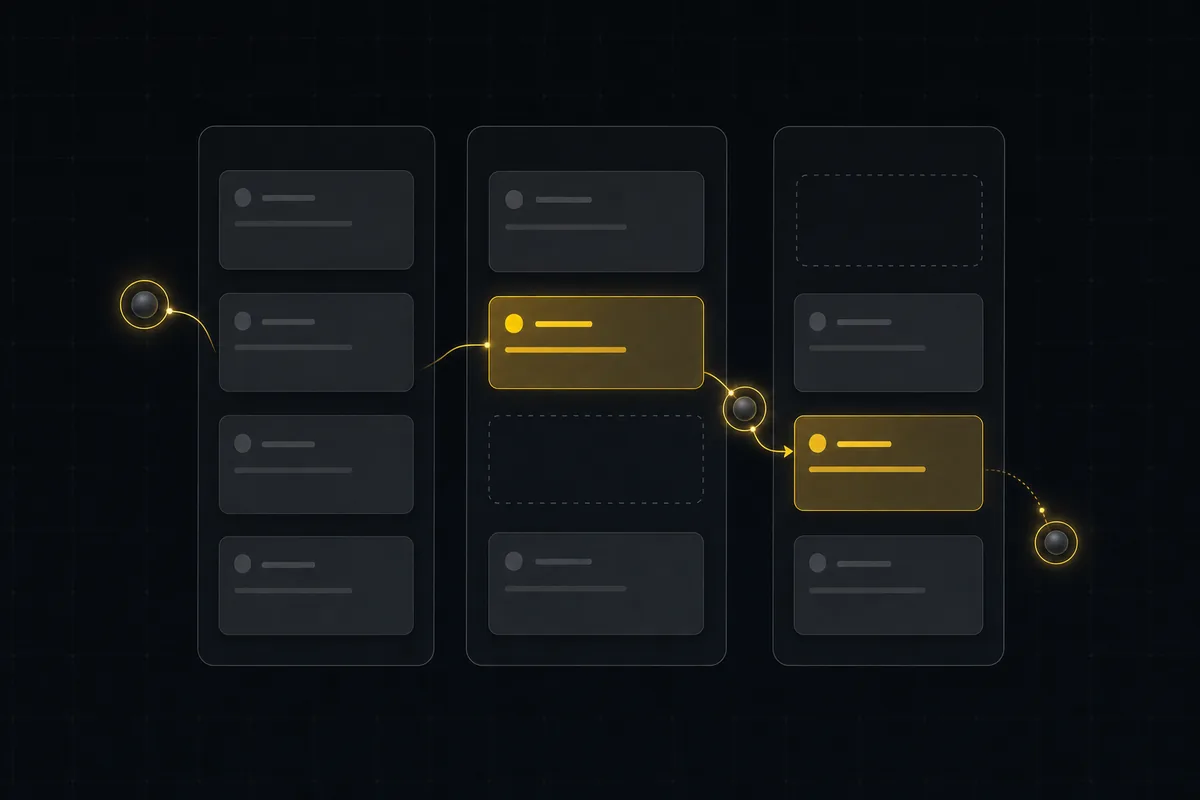
إدارة مشروع بوكلاء الذكاء الاصطناعي دون أن تفلت منك الخيوط
إعداد عملي يتيح لوكلاء الذكاء الاصطناعي إنجاز عمل مشروع حقيقي: إنشاء مهام، تحريك اللوحة، صياغة مواصفات، بينما يحتفظ فريقك بأحكام التقدير. جولة كاملة من لوحة فارغة إلى ميزة مُطلقة: ربط الوكيل عضوًا، تفويض شريحة مقيّدة، مسارات عمل، وإشارة تحقق تلتقط الادعاءات الكاذبة.
11 يوليو 2026 · 8 د قراءة
كيف تدير فريقًا من وكلاء الذكاء الاصطناعي دون أن يفلت منك ما يفعلونه
إدارة الفرق بالذكاء الاصطناعي يومًا بيوم: دليل بأسماء ومالكين، وجلسات حية، وتفويض فوري، وصلاحيات على مستوى الحقل، وعمل موثق حين يعمل عدة وكلاء معًا.
15 يوليو 2026 · 19 د قراءة
كيف تستخدم محادثة الفريق
دليل عملي لمحادثة الفريق داخل أداة إدارة المشاريع: القنوات، والرسائل المباشرة، والسلاسل، وإشارات @، وإرفاق الملفات، والحدود الصريحة، كل ذلك بجوار مهامك.
15 يوليو 2026 · 19 د قراءة
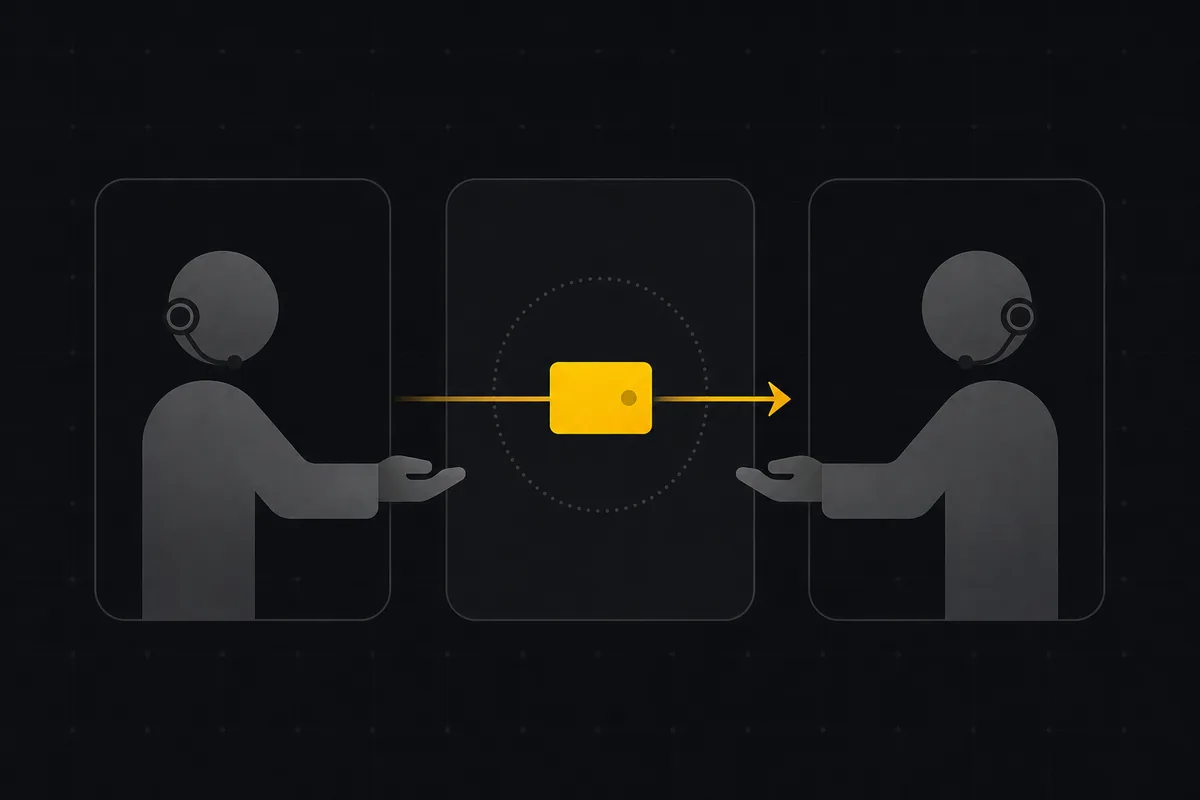
وكيلان وباكلوج واحد: تنسيق وكيل فرز ووكيل برمجة عبر حالة المهمة كوسيلة تسليم
مسار عمل متعدد الوكلاء عملي: أعمدة لوحة مخصصة وانتقالات حالة تعمل ناقل تسليم بين وكيل فرز ووكيل برمجة، مع مراجعة بشرية في المنتصف.
1 يوليو 2026 · 11 د قراءة
حين يضيق ملف المهام بوكلاء الذكاء الاصطناعي لديك
Beads متتبّع مهام جيد لوكلاء الذكاء الاصطناعي، والمطوّر المنفرد الأفضل له البقاء عليه. وهنا النقطة التي يضيق عندها باكلوج داخل المستودع، وكم تكلّف النقلة.
26 يوليو 2026 · 11 د قراءة
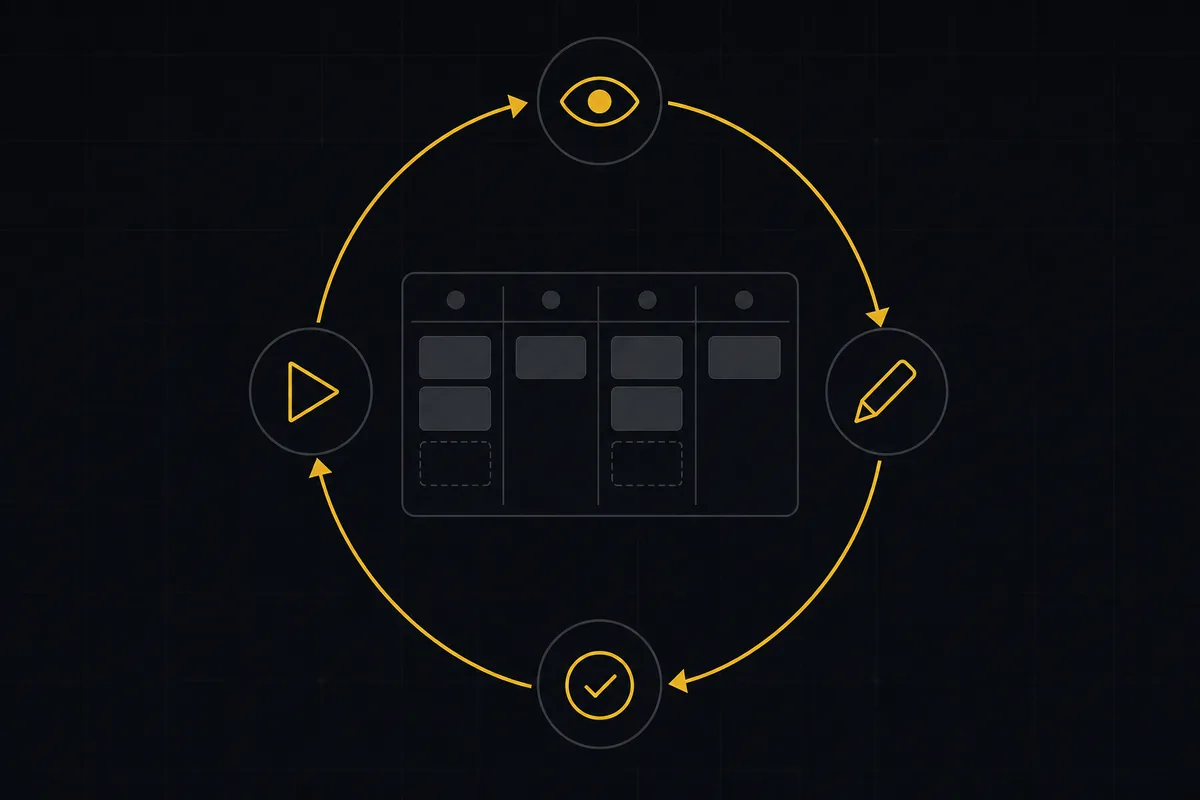
ما هي إدارة المشاريع الوكيلية؟ دليل بلغة بسيطة مع مثال عملي
المساعد النصي ينتظر أمرك. أما الوكيل فيتصرف عند وقوع حدث. هنا شرح حلقة الإدراك والتخطيط والفعل والتحقق، مع تشغيلة حقيقية من طرف إلى طرف داخل Taskfolk.
11 يونيو 2026 · 12 د قراءة
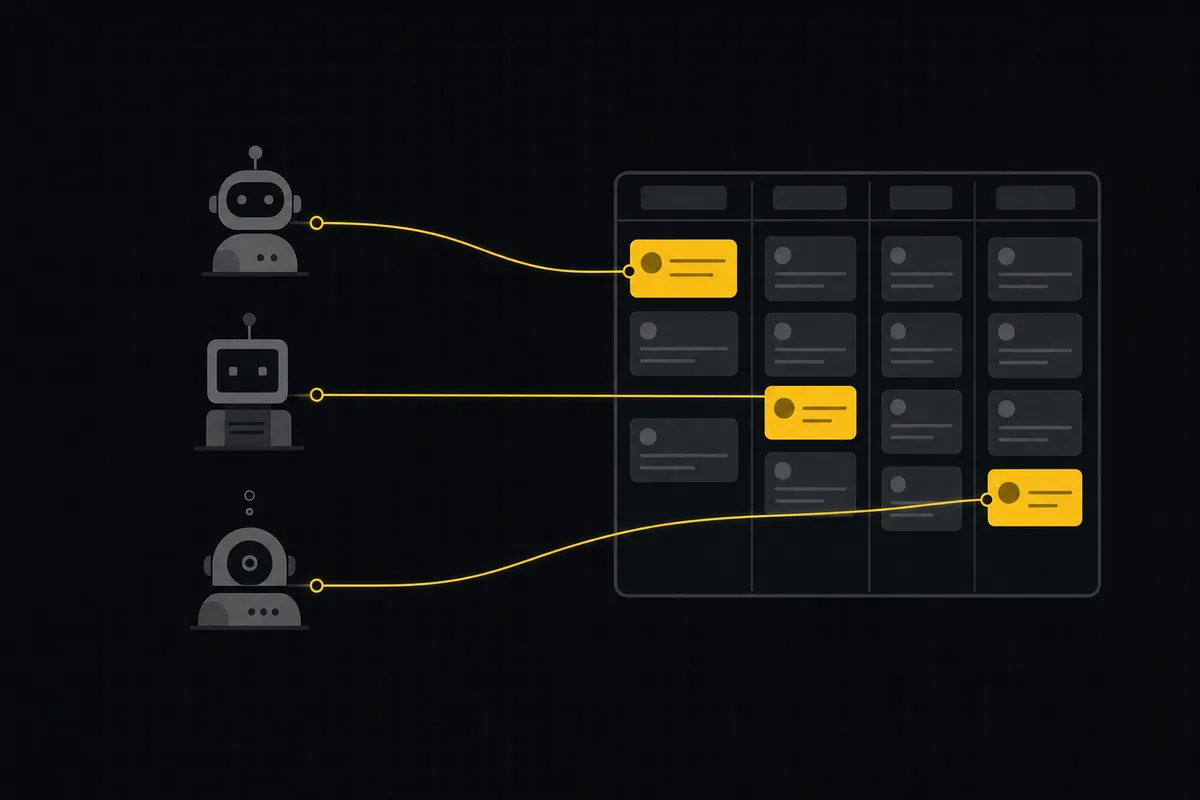
باكلوج مشترك لفريق من وكلاء البرمجة بالذكاء الاصطناعي
مدير مهام لوكلاء البرمجة بالذكاء الاصطناعي: امنح ثلاثة وكلاء باكلوجًا مشتركًا واحدًا، مع هوية لكل وكيل، وصلاحيات على الحقول، وتسليم عبر الحالات، وبوابات مراجعة بشرية.
16 يوليو 2026 · 18 د قراءة
أضف تعليقًا
ابدأ النقاش.